
Air Cooler vs. AIO: Choose by Workload, Fit and Noise
Compare cooling approaches through sustained heat, clearance, acoustics, maintenance and case support.
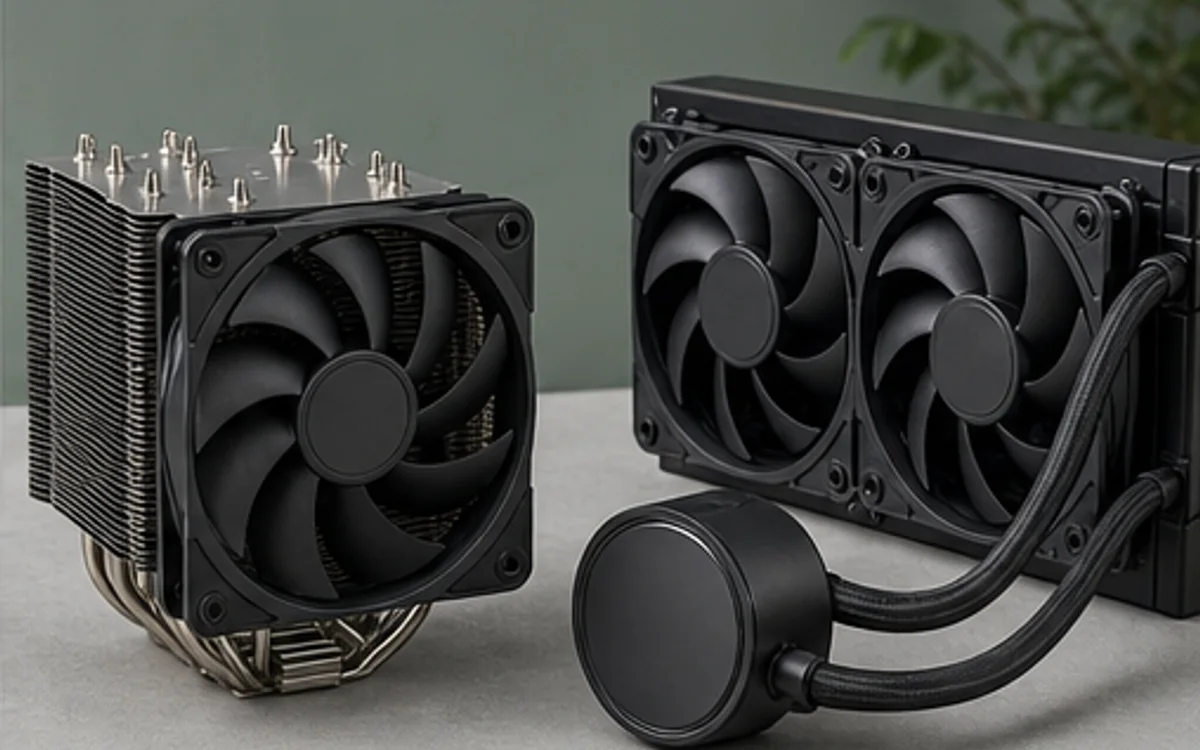
Match the cooler to sustained heat
Choose around the processor's real workload rather than a visual preference. Long renders and compilation can hold power for minutes, while lighter office work rarely needs an oversized cooler. A capable tower air cooler offers simple operation; an AIO can move the heat exchanger to a larger radiator position and free space around the socket.
Neither label guarantees performance. Fin area, fan quality, mounting pressure, radiator size and case airflow determine the result. Vendor compatibility lists should confirm the socket kit.
Check the complete fit
For air cooling, compare cooler height with case clearance and verify that the fan or fin stack will not interfere with tall memory. For an AIO, verify radiator length, thickness, fan thickness, tube routing and the effect on GPU clearance.
Noise is also different: air coolers mainly add fan noise, while liquid units add a pump. TechMuz reports these constraints separately so “supports 240 mm radiator” is not mistaken for proof that every 240 mm unit fits with every other part.
Research trail
References support factual checks and topic research. No third-party article text or imagery is republished here.
Put the guide into practice.
Open exact specifications, compatibility fields and available buying references.
 CORES20C
Core Ultra 7 265F
20-core Intel Core Ultra desktop processor for the LGA1851 platform.
 CORES16CCORES6C