Our Top Picks
- Best Overall Professional Hub: The Rodecaster Pro II remains the gold standard for dedicated podcast studios, offering four XLR inputs and integrated APHEX processing.
- Best for Mobile Creators: The Zoom LiveTrak L6 delivers massive power in a small footprint, featuring 32-bit float recording and 10-track capabilities.
- Best for Budget Starters: The Behringer XENYX 802S is a highly capable entry-level audio mixer digital choice that balances cost with essential USB connectivity.
- Best for Solo Streamers: The Focusrite Scarlett 2i2, while technically an interface, remains a staple for those needing high-gain preamps in a minimal setup.
- Best for Large Ensembles: The Tascam Model 12 provides an analog feel with modern digital audio mixer recorder features for those needing more physical faders.
The Rodecaster Pro II stands as a premier digital audio mixer for professional podcasting and content creation in 2026. It features four XLR inputs, high-gain preamps, and dual USB-C connectivity for complex multi-track recording and streaming. Its intuitive touchscreen interface and programmable sound pads make it a versatile hub for both music production and voiceover work. As the landscape evolves, finding the best digital audio mixer for podcasting 2026 requires looking at how these devices integrate with your digital sound mixer board workflow and software.
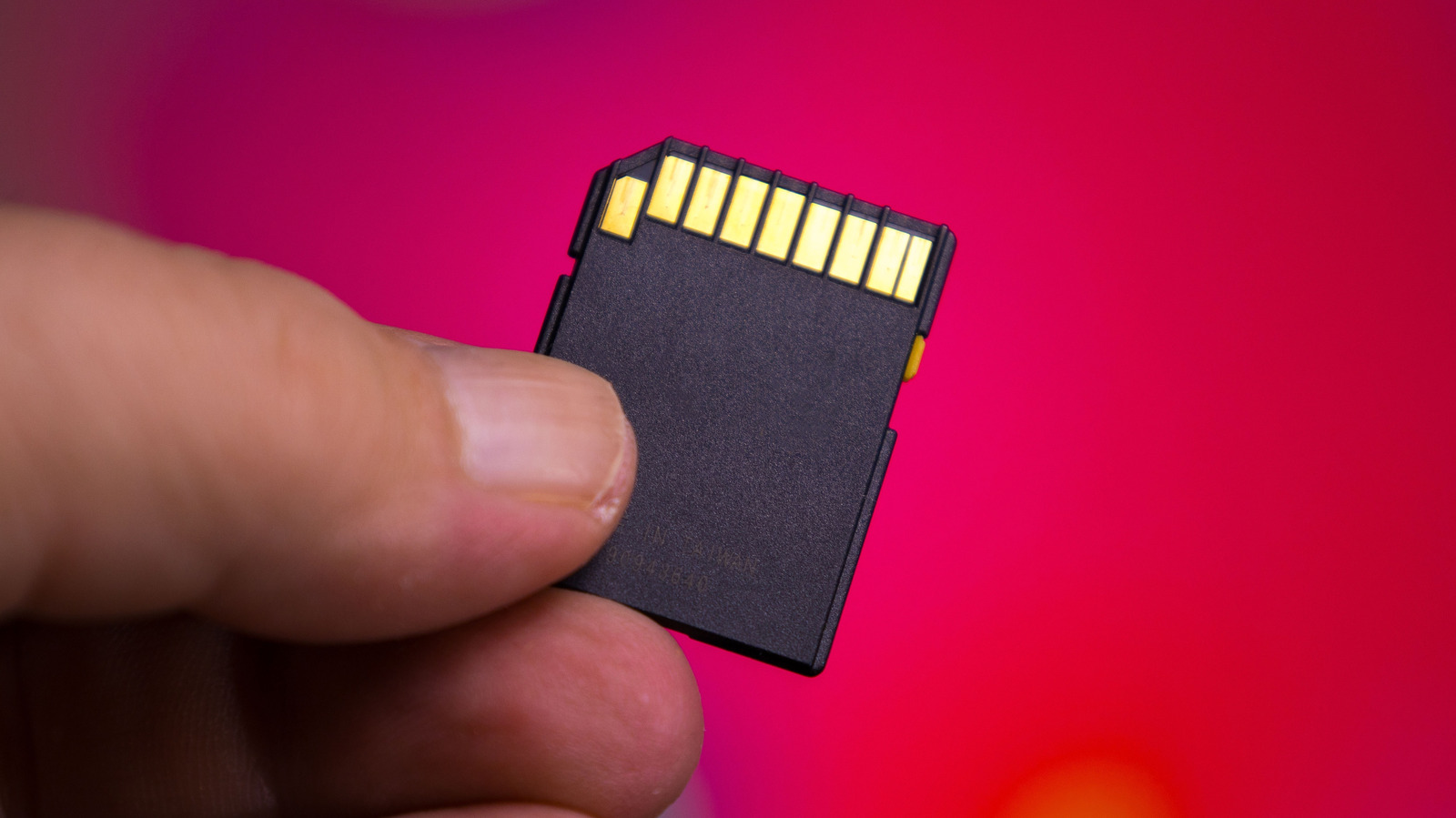
For creators seeking portability and multitrack capability on a mid-range budget, the Zoom LiveTrak L6 is a highly efficient option. It supports recording up to 10 discrete tracks directly to a microSD card and functions as a low-latency audio interface. Its compact size and ability to run on battery power make it ideal for mobile recording sessions and small home studio setups.
Budget-conscious beginners can utilize digital mixers like the Behringer XENYX 802S, which provides an eight-channel layout and USB connectivity for straightforward digital recording. While more affordable models often lack individual track isolation during recording, they offer essential features like phantom power and high-quality preamps that significantly improve audio fidelity compared to basic USB microphones.
| Model | Price (Estimated) | Max Sample Rate | XLR Inputs | Best Use Case |
|---|---|---|---|---|
| Rodecaster Pro II | $699 | 48kHz / 24-bit | 4 | Professional Studios |
| Zoom LiveTrak L6 | $249 | 96kHz / 32-bit float | 2 (+4 TRS) | Mobile/Field Recording |
| Behringer XENYX 802S | $89 | 48kHz / 16-bit | 2 | Entry-Level Podcasting |
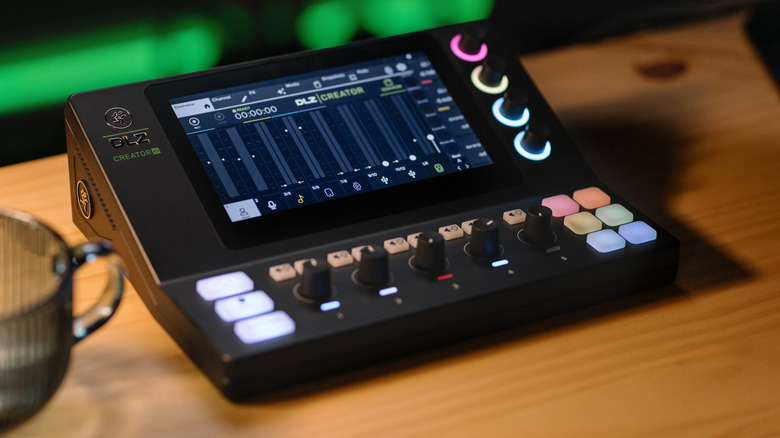
| Mackie DLZ Creator XS | $499 | 48kHz / 24-bit | 2 | Interactive Streaming |
| Tascam Model 12 | $599 | 48kHz / 24-bit | 8 | Hybrid Music/Podcast |
The Professional Standard: Rodecaster Pro II
When we talk about the evolution of the modern studio, the Rodecaster Pro II is often the centerpiece of the conversation. It isn't just a digital sound mixer board; it is a full-scale production suite that has simplified the lives of thousands of creators. According to recent industry surveys, the Rodecaster Pro series, alongside the Zoom PodTrak and Focusrite Scarlett, are the most popular hardware tools in the market, collectively chosen by more than 37% of podcasters.
What sets this unit apart in 2026 is the incredible quality of the Revolution Preamps. You get ultra-low-noise, high-gain performance that makes even a power-hungry Shure SM7B sound crystal clear without the need for external boosters. The inclusion of APHEX digital signal processing allows you to add professional polish—like compression, EQ, and the famous Aural Exciter—in real-time, saving hours in post-production.
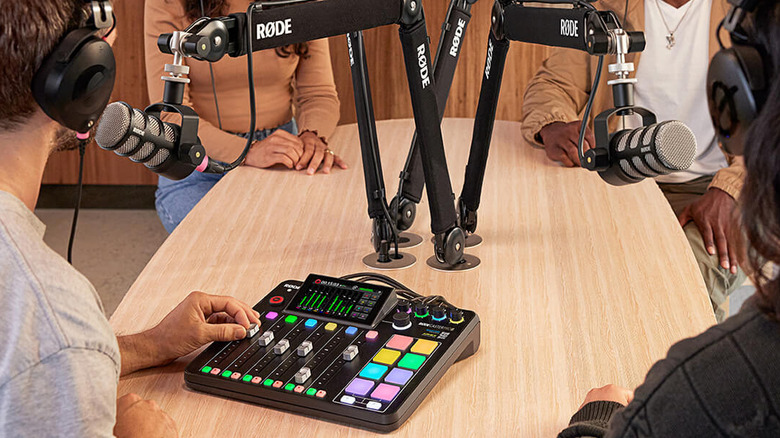
Tom's Pro Tip: The dual USB-C ports are a game-changer for those who stream and record simultaneously. You can route your game audio from one PC and your streaming software from another without worrying about complex loopback settings.
Buy If / Avoid If
- Buy If: You host a show with multiple local guests and want a "set it and forget it" workflow with professional processing.
- Avoid If: You only record solo at a desk and have a very limited budget; a simple interface might suffice.
The Mobile Powerhouse: Zoom LiveTrak L6
For the creator who refuses to be tethered to a desk, the Zoom LiveTrak L6 represents the pinnacle of portable engineering. In the past, small mixers meant compromising on track counts or bit depth. The L6 changes that by offering 32-bit float recording, which effectively makes "clipping" or distorted audio a thing of the past. Even if your talent screams into the mic, you can recover that audio perfectly in your DAW.
This digital audio mixer for streaming is uniquely positioned for the "backpack studio." It fits in the palm of your hand but can manage a full band or a four-person podcast with ease. The ability to use the digital mixer as audio interface while simultaneously recording to a microSD card provides a failsafe that every professional craves. If your computer crashes mid-stream, your recording stays safe on the card. This peace of mind is one reason why the global digital mixer market is projected to reach approximately $2.14 billion by 2026.
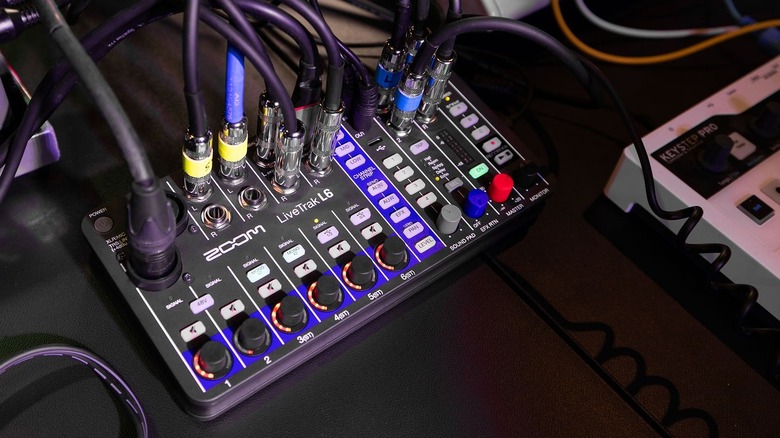
The L6 also features physical faders, which I personally find essential. There is a tactile connection you get when riding the levels during a live conversation that a touchscreen simply cannot replicate. Even for a small digital audio mixer for home studio use, having that physical control over your low-latency monitoring mix is invaluable.
Buy If / Avoid If
- Buy If: You record on location, at cafes, or in hotels and need high-resolution 32-bit float audio.
- Avoid If: You need more than two XLR inputs for microphones (though it does have ample TRS inputs for instruments).
Best Value for Beginners: Behringer XENYX 802S
Not everyone needs a $700 workstation to start their journey. The Behringer XENYX 802S is the definitive digital mixer 8 channel option for those who want to move away from low-quality USB microphones and into the world of XLR. It provides an affordable gateway into better audio fidelity without the steep learning curve of high-end consoles.
This 8 channel digital audio mixer offers a straightforward layout: two main XLR channels with Phantom power for condenser mics and several stereo channels for music or sound effects. While it is marketed as a cheap digital audio mixer for beginners, the preamps are surprisingly clean. The main trade-off here is that it typically outputs a "stereo mixdown" to your computer. This means you can't easily edit each person's voice separately after the recording is done—you have to get the mix right while you are recording.
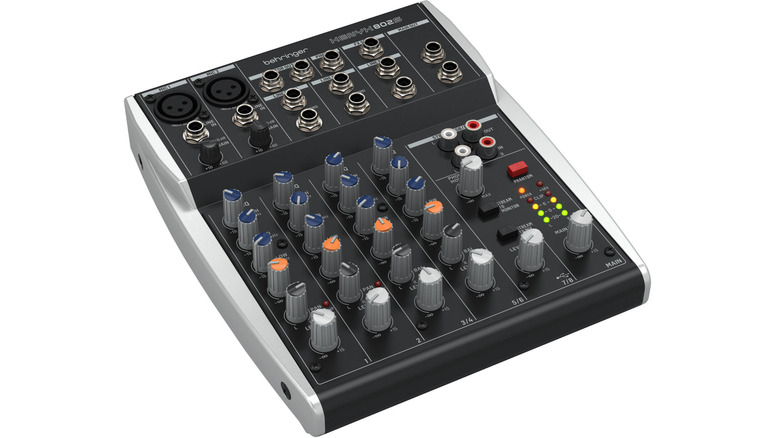
For a solo podcaster or a streamer who just needs to blend their voice with game audio, this is a fantastic starting point. It feels like a piece of classic gear, with knobs that have just the right amount of resistance, helping you learn the fundamentals of gain staging and EQ.
Buy If / Avoid If
- Buy If: You are a solo creator on a tight budget who wants to use professional XLR microphones.
- Avoid If: You plan on having multiple guests and need the ability to edit their voices individually in post-production.
Buying Guide: The 2026 Audio Mixer Input Audit
Choosing an audio mixer digital solution isn't just about the price tag; it is about how the hardware interacts with your creative needs. We live in an era where 60% of podcast listeners will abandon a program due to poor sound quality. This statistic emphasizes why the 18% annual growth in demand for mixers with professional 24-bit/192kHz recording capabilities is so significant.
When performing your own "Input Audit," consider these four pillars:
- Microphone Count: How many people will be in the room? Ensure you have enough XLR inputs for everyone. Don't count "channels" only, as many budget mixers count stereo inputs for instruments as two channels.
- Recording Versatility: Do you want a multitrack recording, where every voice is a separate file? If yes, you need a digital audio mixer recorder like the Rodecaster or Zoom L6. If you are okay with a single combined file, an analog-style USB mixer will work.
- Connectivity Needs: Does the mixer offer digital audio mixer with bluetooth? This is incredibly helpful for bringing in remote guests via a phone call without complicated wiring.
- Processing Power: Look for onboard digital signal processing. Built-in de-essers and compressors can make a $100 microphone sound like a $500 one by cleaning up the signal before it ever hits your computer.
The debate of analog vs digital audio mixer often comes down to warmth versus convenience. Analog mixers offer a tactile, classic sound but often lack the deep DAW integration and built-in effects that modern digital units provide. In 2026, the lines are blurring, with digital units offering higher sample rates and better signal-to-noise ratio than ever before.
Input Audit Checklist
- [ ] Count of XLR inputs (not just total channels)
- [ ] Presence of 48V Phantom Power for condenser mics
- [ ] Support for multitrack recording via USB or SD card
- [ ] Integrated headphone outputs (one for each guest)
- [ ] USB-C or Thunderbolt connectivity for low-latency monitoring
FAQ
What is the difference between an analog and a digital audio mixer?
An analog mixer processes audio as a continuous electronic signal, often praised for its "warmth" and simplicity. A digital mixer converts the audio into data (1s and 0s) immediately. This allows for far more complex features like saving "scenes" or presets, integrated digital effects, and the ability to send multiple separate tracks to a computer via a single USB cable.
Can a digital mixer be used as a recording interface?
Yes, most modern digital mixers are designed to function as a recording interface. When you plug them into your computer via USB, your digital audio workstation (DAW) will recognize the mixer as a sound card. Higher-end models allow you to record each channel to a separate track in your software, while entry-level models might only send the final left/right mix.
What are the main advantages of a digital audio mixer?
The primary advantages include a massive reduction in external gear, as digital mixers house built-in compressors, EQs, and noise gates. They also offer unmatched versatility, such as the ability to record to an internal SD card as a backup, integrate mobile phones via Bluetooth, and provide custom headphone mixes for different guests—all within one box.
Are digital mixers difficult to learn for beginners?
While they have more features, many modern digital mixers are actually easier for beginners. Devices like the Rodecaster or Mackie DLZ Creator have "Easy Modes" or "Auto-Gain" features that handle the technical details for you. The visual feedback from touchscreens also makes it much easier to see what is happening to your audio compared to traditional analog rows of knobs.
How many channels should a digital mixer have?
This depends entirely on your content. For a solo podcaster, a 2-channel interface is plenty. For a typical interview show, 4 XLR channels are the industry standard. If you are recording a band or a large panel discussion, you may want to look for an 8 channel or 12 channel layout to ensure everyone has their own dedicated input and volume control.
Conclusion & CTA
As we move through 2026, the barrier between professional studio quality and home recording continues to dissolve. Whether you choose the powerhouse Rodecaster Pro II or the portable Zoom LiveTrak L6, the goal remains the same: capturing human connection without the distractions of poor sound.
Investing in a proper audio mixer digital setup is the single most effective way to respect your audience's ears and elevate your brand. The hardware you choose today will be the foundation of your creative voice for years to come.