Quick Facts
- Regional Availability: Official single-bud sales are limited to regions like Australia and India; US users must use third-party markets.
- Sync Method: Place both buds in the case and perform a 7-second touchpad hold to initiate the coupling process.
- Compatibility Check: Earbuds must be from the same generation and model; you cannot pair a Buds2 Pro with a standard Buds2.
- Tracking Technology: Use SmartThings Find for offline tracking or Search Nearby for real-time signal strength indicators.
- Cost Comparison: Third-party replacements typically cost $60-$80 USD, while a full new set may exceed $100 depending on the model.
- Warranty Limits: The standard warranty covers manufacturing defects but does not cover lost or stolen hardware.
- Software Sync: Mismatched firmware between a new and old bud can lead to pairing failures or disabled features.
Losing a single earbud is frustrating, but you don't always need a full new set. Whether you need a Galaxy Buds replacement for a lost left or right bud, the process involves specific regional buying strategies and a precise technical coupling process to ensure your audio stays in sync.
Step 1: Track Your Lost Earbud Before Replacing
Before spending money on a replacement, it is worth exhausting the digital tracking options built into the Samsung ecosystem. If you have lost your earbud in a public place or at home, the first step is to open the Galaxy Wearable app and navigate to the SmartThings Find section. This platform can be a lifesaver when you need to know how to find a lost galaxy bud that is offline because it displays the last known location where the bud was actively connected to your smartphone.
For those using newer hardware like the Galaxy Buds2 Pro, the Search Nearby function provides a more granular approach. It acts like a digital metal detector, using Bluetooth signal strength to guide you as you move closer to the missing component. Additionally, the Notify When Left Behind feature in the Galaxy Wearable app provides real-time alerts to a user's smartphone if the connection to their Galaxy Buds is lost due to distance, potentially preventing the loss from happening in the first place.
If the earbud is still within Bluetooth range and has battery life, you can also use the "Ring" feature. This emits a loud chirping sound that increases in volume. However, if the battery is dead or the earbud is inside its closed case, you will have to rely on the map location provided by the SmartThings Find network, which utilizes other Samsung devices to ping the location of your lost gear.
Step 2: Identify Your Exact Galaxy Buds Model
If tracking fails, you must identify your exact model before searching for a replacement. Samsung’s earbud lineup has expanded significantly, and hardware compatibility is strict. You cannot perform a Galaxy Buds replacement by mixing a Galaxy Buds Pro with a Galaxy Buds2 Pro, nor can you mix different generations of the standard Buds line. Even if they look similar, the internal chipsets and Bluetooth pairing mode protocols differ enough to prevent them from ever working as a stereo pair.
To find your specific model number, look at the inside of the charging case lid. There is usually small text indicating the model (e.g., SM-R510). Alternatively, check the About Earbuds section in the Galaxy Wearable app while your remaining bud is connected. You should also take note of the serial number verification for your remaining bud, as some high-end third-party sellers will ask for this to ensure they send you a compatible version.
Step 3: Where to Buy a Single Galaxy Bud Replacement
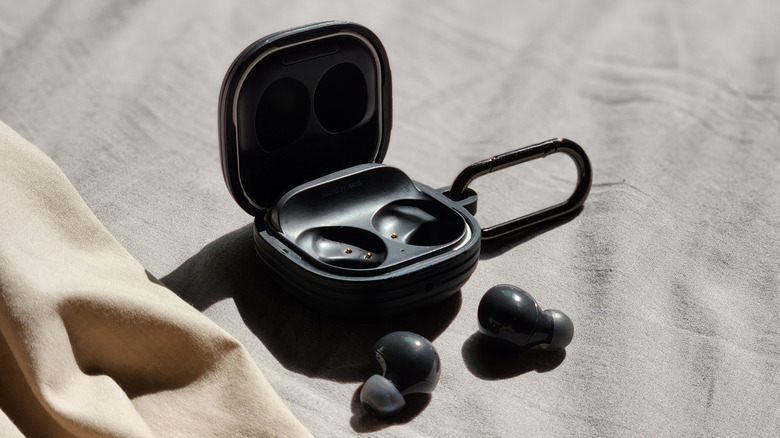
Finding where to buy genuine single galaxy bud replacement parts depends heavily on your geographic location. Samsung does not have a unified global policy for selling individual components, which leads to significant confusion for users in North America versus those in Asia or Oceania.
In regions like Australia, India, and parts of Europe, you can often visit an authorized Samsung Service Center to purchase a single left or right earbud. The technicians there will often handle the pairing for you to ensure the firmware synchronization is handled correctly. However, in the United States, Samsung typically does not sell single earbuds directly through their website or retail stores. If you ask can you buy a single galaxy buds replacement earbud in the us, the official answer from Samsung support is usually a recommendation to purchase a completely new set.
For US-based users, the most reliable path is through reputable third-party marketplaces such as ReCell Exchange or highly-rated sellers on eBay. These vendors specialize in breaking down returned or open-box sets to sell individual parts.
| Source | Region | Cost (Estimated) | Pros/Cons |
|---|---|---|---|
| Samsung Service Center | AU, IN, EU | $60 - $90 | Official part, guaranteed compatibility, firmware help. |
| Third-Party Market (eBay/ReCell) | US, UK, Global | $50 - $85 | Only way to get single buds in the US; risk of battery wear. |
| Buying a Full New Set | Global | $99 - $229 | Most expensive; provides a fresh battery and a spare case. |
Firmware Warning: When you receive a replacement earbud, the firmware version will likely not match your original one. This can cause the Galaxy Wearable app to fail during the initial setup. You may need to update the earbuds individually before they will successfully couple.
Keep in mind that while Samsung Galaxy Buds are typically covered by a one-year standard limited warranty for manufacturing defects, this coverage does not extend to lost or stolen earbuds. If you are prone to losing things, Samsung Care+ offers an extended protection plan for Galaxy Buds for up to 24 months, with enrollment costs ranging from $39 to $199 depending on the specific model and region, which may offer more affordable replacement options.
Step 4: How to Sync and Pair Your Replacement Earbud
Once you have the replacement bud in hand, the most technical part of the journey begins: the "Self-Coupling" or "Coupling Mode." This is not the same as standard Bluetooth pairing. You are essentially telling the two separate pieces of hardware that they now belong to the same set.
Pro Tip: Before starting, ensure that the "Block touches" feature is disabled in the Galaxy Wearable app for your existing bud. If this is active, the sensors will not register your long-press, and the coupling process will fail.
Follow these steps for pairing replacement Galaxy Buds to your existing case:
- Place both the original earbud and the replacement earbud into their respective left and right channel slots in the charging case.
- If the LED status indicator flashes red, it means the two buds are not yet synced. Close the lid for a few seconds and then reopen it.
- Using two fingers, simultaneously touch and hold the touchpads on both earbuds while they are still sitting in the case.
- Maintain this hold for at least seven seconds. The battery indicator light inside the case will flash green. This is the signal that the coupling process is successful.
- Once the light returns to a steady green or red (indicating battery status), the buds are paired. You can now connect them to your phone as a single unit.
Learning how to sync a replacement galaxy bud to existing case is fairly straightforward, but the timing must be precise. If the light continues to flash red after several attempts, you may need to perform a factory reset via the Wearable app or check for a battery life mismatch. If the new bud is completely dead, it won't be able to communicate with the original one to complete the handshake.
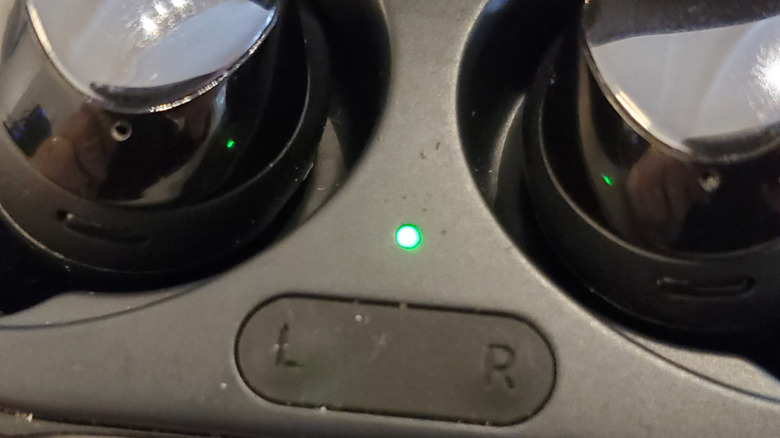
For those using the top-tier Pro models, the steps on how to couple galaxy buds 2 pro replacement earbud are identical to the standard version, but ensure that the case itself is plugged into a power source during the process to prevent any power dips from interrupting the firmware handshake.
Troubleshooting: Why Your Buds Won’t Couple
If you are struggling with pairing two different galaxy buds from different sets, the issue usually stems from one of three areas: firmware, battery, or physical contact.
First, check the LED status indicator. A blinking red light inside the case after the 7-second hold suggests that the buds are not communicating. This often happens if one earbud has a much older firmware version than the other. To fix this, try connecting just the new bud to your phone alone (keep the old one out of the case) and check for updates in the Galaxy Wearable app. Once both are updated to the same version, try the coupling process again.
Second, ensure the charging pins are clean. If the replacement bud isn't making a solid connection with the case, it won't enter the sync mode. Use a small amount of isopropyl alcohol on a cotton swab to clean the contacts on both the bud and the case.
Finally, consider the age of your original set. Lithium-ion batteries degrade over time. If your original bud is two years old and your replacement is brand new, you may notice a battery life mismatch where one side dies significantly faster than the other. This isn't a pairing error; it is simply the physical reality of battery chemistry.
FAQ
Can I replace just one Galaxy Bud?
Yes, it is possible to replace a single earbud without buying a whole new set. While Samsung officially supports this through service centers in certain regions like India and Australia, users in the US generally need to find genuine single galaxy bud replacement parts through trusted third-party marketplaces.
How do I pair a new replacement earbud with my existing one?
To pair a new bud, place both the old and new earbuds into the charging case. Touch and hold the touchpads on both earbuds simultaneously for seven seconds until the indicator light flashes green. This couples the two separate pieces of hardware into a single stereo pair.
Where can I get official replacement Galaxy Buds?
Official replacements are available at Samsung Service Centers in supported regions. In the US, since Samsung does not sell them individually on their website, you should look for reputable electronics recyclers or specialized earbud replacement vendors that verify the authenticity of their stock.
How do I sync a new Galaxy Bud with the original?
The synchronization process requires both buds to be in the charging case. Ensure they are charging, then hold the touch sensors on both for about seven to ten seconds. The light inside the case will blink green to confirm that the internal software has synchronized the two earbuds.
What should I do if I lose one Galaxy Bud?
First, use the SmartThings Find feature in the Galaxy Wearable app to check the last known location. If it is nearby, use the Ring feature to make the bud beep. If it cannot be found, identify your model number and purchase a matching replacement bud from a service center or a reliable third-party seller.