Quick Facts
- E-Waste Impact: The wearable health device sector is projected to generate as much as one million tons of electronic waste by 2050.
- Consumer Habits: Approximately 55% of consumers are likely to upgrade their wearable devices before their current one stops working.
- Functional Lifespan: Most smartwatches have a relatively short functional life of three to five years due to battery issues and software support.
- Top Repurposing Uses: Dedicated desk clocks, cycling computers, sleep trackers, and smart home controllers.
- Trade-in Value: Older models typically fetch less than 20% of their original MSRP after three years.
You can repurpose old smartwatch devices by transforming them into dedicated tools like a desk clock, a bike speedometer, or a music remote for your home or car. Other creative ways to give old smartwatch new life include setting it up as a standalone sleep tracker, a virtual pet machine for children, or a dedicated controller for smart home lighting, effectively extending the utility of the hardware and contributing to e-waste reduction.
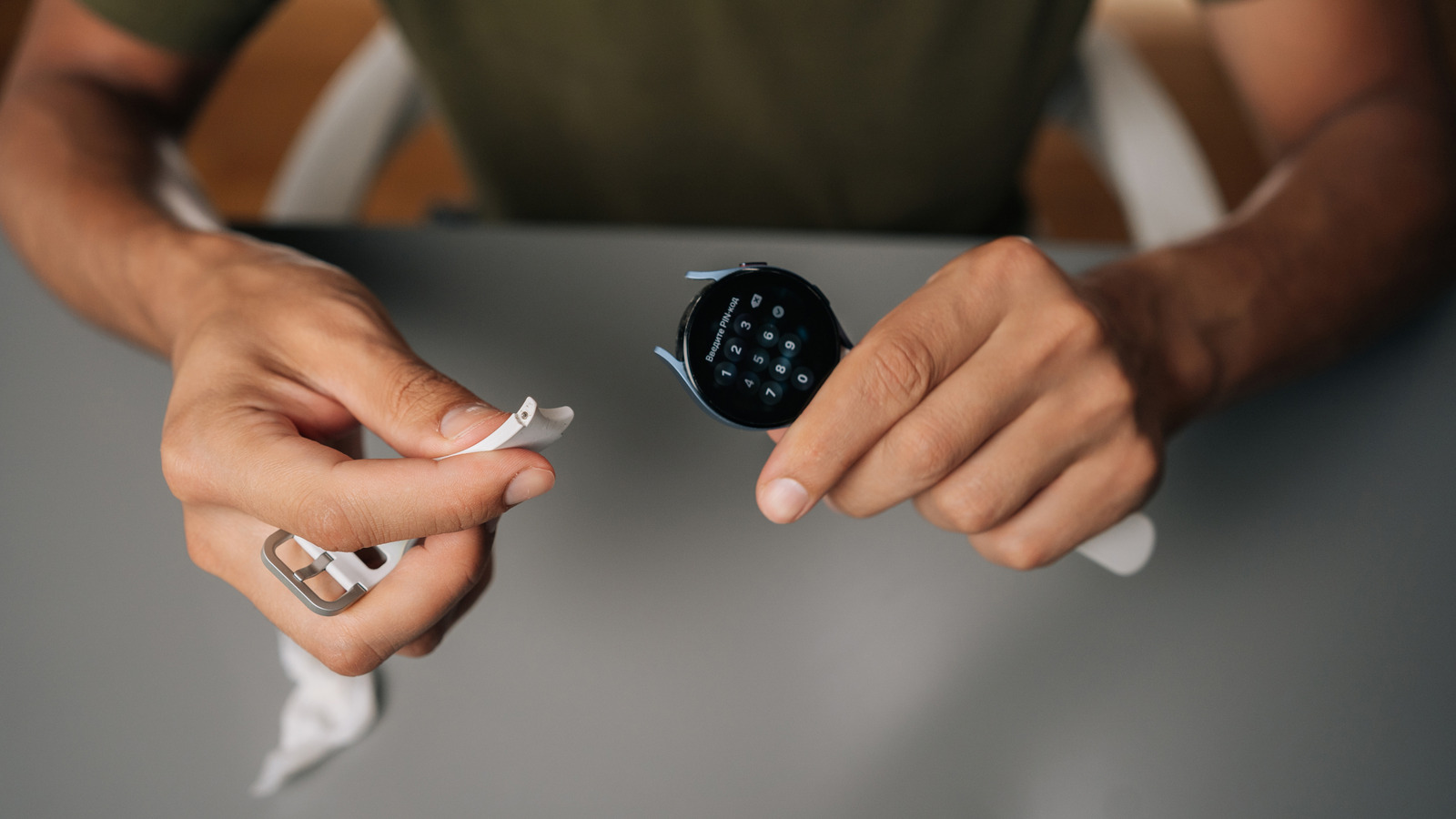
We have all been there. You unbox a shiny new Apple Watch or Galaxy Watch, and the old one—the one that served you faithfully for three years—gets tossed into the kitchen drawer. It sits there, slowly losing its charge and gathering dust, a phenomenon I like to call drawer-ware. But as someone who spends her days testing the latest mobile tech, I hate seeing perfectly good silicon go to waste.
The reality of gadget longevity is that while the software might feel sluggish compared to the latest chipsets, the sensors and screens inside your old wearable are still remarkably capable. Instead of letting it contribute to the growing pile of electronic waste, you can turn that retired piece of tech into a specialized tool that actually makes your life easier. Here are five clever ways to give old smartwatch new life without spending a fortune.
1. The Desktop Companion: From Wrist to Workstation
One of the most popular uses for old smartwatches is transforming them into an aesthetic desk clock. If you have ever felt the urge to check your phone for the time while working, only to get sucked into a thirty-minute Instagram scroll, this solution is for you. By moving the clock and basic notifications to a dedicated screen on your desk, you reduce the need to touch your primary device.
Setting Up Your Desk Clock
The most important technical prerequisite for this setup is a feature called always-on display. If your watch supports it, you can keep the time visible at all times. For Apple Watch users, placing the device on its side while charging automatically triggers Nightstand Mode, but you can go further with dedicated hardware.
- Remove the straps: Take off the silicone or leather bands to give the watch a cleaner, pod-like appearance.
- Choose a stand: Brands like Elago offer vintage-inspired stands that make your Apple Watch look like a classic Macintosh or a Game Boy. If you want something more modern, the NightWatch magnifying stand turns the small screen into a large, easy-to-read bedside companion.
- Enable AOD: Go into your settings and ensure the always-on display is active. If your battery is significantly degraded, this isn't an issue since the watch will remain on its charger.
- Custom Faces: Use apps like Clockology to find high-quality, professional clock faces that match your office aesthetic.
This setup isn't just about the time; it is about creating a secondary display for your calendar and weather. By choosing a face with multiple complications, you can keep an eye on your next meeting or the outdoor temperature at a glance. It is a great way to turn old smartwatch into desk clock while keeping your workspace organized.
2. The Dedicated Health Hub: Sleep Tracking and Fitness
A major friction point with modern smartwatches is battery life. If you use your primary watch for GPS tracking during the day, you often have to charge it at night, which means you miss out on valuable sleep data. You can solve this by using your old device as a dedicated sleep tracking tool.
Creating a Sleep-Only Wearable
When you repurpose old smartwatch for dedicated sleep tracking, you don't need to worry about the battery lasting 24 hours. You only need it to last through the night.
- Strip it down: Uninstall every non-essential app. Turn off cellular data, Wi-Fi, and background app refresh for everything except the heart rate sensor and sleep tracking software.
- Set a routine: Keep the old watch on your nightstand. When you take off your main watch to charge for the evening, put on the sleep watch.
- Syncing data: Ensure both watches are linked to the same health account (like Apple Health or Google Fit). The platforms are usually smart enough to merge data from two different sources into a single timeline.
Beyond sleep, your old watch can serve as a dedicated spotify remote for parties or gym sessions. If you have a home gym, keep the old watch there. You can pair it directly with your Bluetooth speakers or headphones, allowing you to control your music without carrying your bulky phone from station to station. It creates a distraction-free interface that keeps you focused on your PRs rather than your emails.
3. The Adventure Tool: A Permanent Bike Speedometer
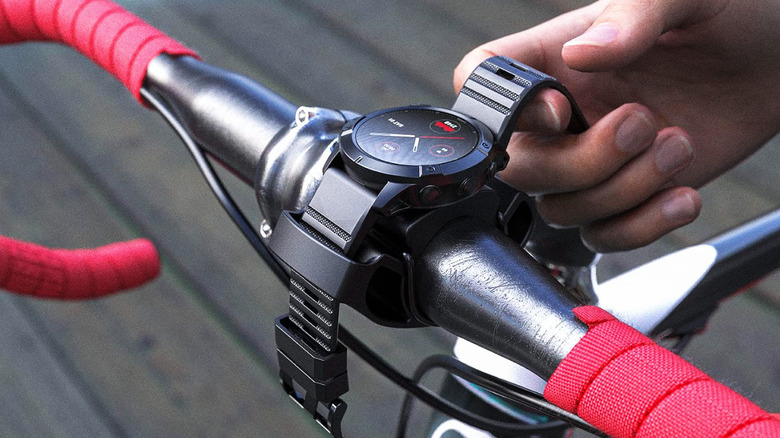
For cyclists, a dedicated head unit can cost hundreds of dollars. However, an old smartwatch with built-in GPS can perform many of the same functions. Instead of risking your expensive smartphone on a handlebar mount where it could be damaged by vibrations or rain, use your old wearable as a permanent dashboard widget.
Mounting and Software
To successfully repurpose old smartwatch for cycling speedometer use, you need a secure mount. Companies like TUSITA or Spigen make adapters that allow you to clip a watch onto standard bike handlebars.
- GPS Hardware: Even if the watch no longer has a cellular connection, the GPS chip works independently. You can use apps like Strava or Komoot to track your speed, distance, and elevation.
- Offline Maps: If your watch supports it, download offline map segments for your local trails.
- Battery Management: Since GPS is a battery hog, you might want to wire a small power bank to your bike frame if you plan on doing century rides. For the average commute, however, even a degraded battery should hold up for an hour of tracking.
Using the watch in this way saves your primary phone battery for emergencies and provides a clear, sunlight-readable display right in your line of sight.
4. The Smart Home Remote: Controlling Your IoT Ecosystem
As our homes get smarter, the struggle to find the right remote or open the right app to dim the lights becomes real. An old smartwatch makes an incredible IoT controller for your living room or entryway.
The Guest Remote Concept
Instead of making guests download an app to control your home, you can leave a repurposed watch on a central dock in the living room.
- Lighting Control: If you use Philips Hue or LIFX, install the watch app and set up "scenes" as complications on the watch face. A single tap can dim the lights for a movie or turn them all off when leaving.
- Sonos and Audio: Use the watch as a dedicated remote for your Sonos or Bose system. It’s much faster than unlocking a phone and navigating to the app.
- Doorbell Monitor: Some smartwatches can display a low-resolution preview of your doorbell camera. Having this on a dock near the sofa is incredibly convenient.
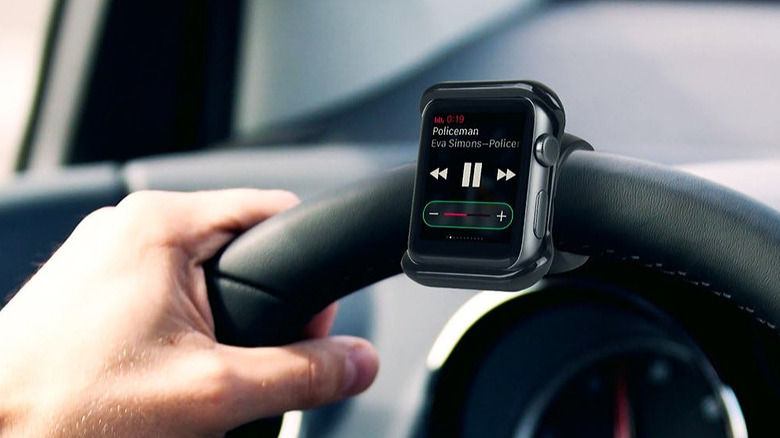
This approach turns the watch into a home automation hub that anyone in the family can use. It is especially helpful for children or elderly relatives who may not have a smartphone but still want to control the environment.
5. The Advanced Project: Custom ROMs and Kids' Fun
If you are a tech enthusiast DIY type, you might want to look beyond the stock software. For those with older Wear OS or Android Wear devices, you can actually install custom ROMs to breathe new life into the hardware.
Refreshing with AsteroidOS
AsteroidOS is an open-source, Linux-based operating system designed specifically for smartwatches. If your old watch is no longer receiving security updates from the manufacturer, this is the best way to keep it safe and functional.
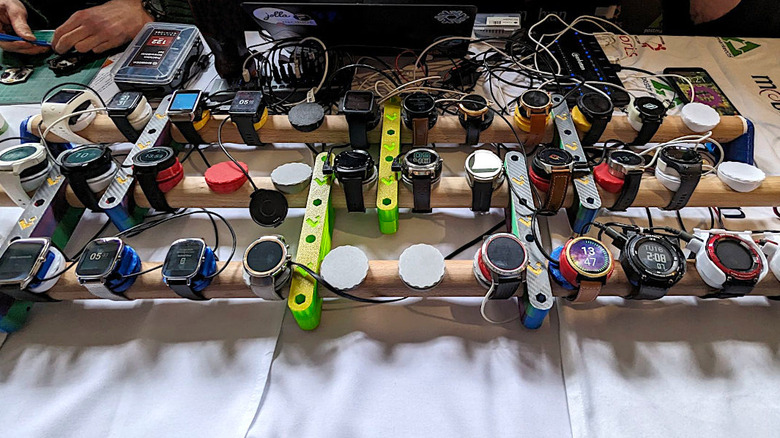
When you learn how to install asteroidos on old wear os devices, you gain a faster, more privacy-focused interface. While you might lose some proprietary features like mobile payments, you get a clean slate that is perfect for basic notifications and custom apps. It is a fantastic way to experiment with the hardware without fear of breaking your daily driver.
A Virtual Pet for the Next Generation
If you have kids, an old smartwatch is the ultimate "toy." Rather than giving them a tablet, you can turn old smartwatch into virtual pet for kids. Apps like Nomi or various "Bit" style games work as standalone experiences.
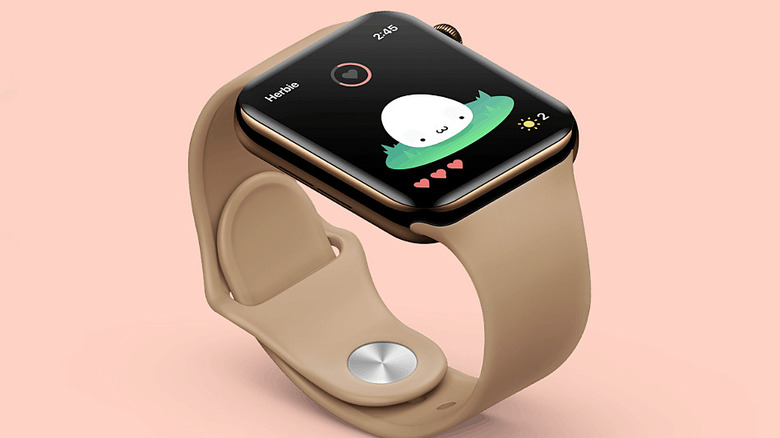
The small form factor is perfect for children's wrists, and because the watch doesn't have a SIM card or active browser, it is a safe, walled garden for them to play in. It gives them the digital nostalgia of a Tamagotchi but with much better graphics and interactivity.
Comparing Your Options: Trade-in vs. Utility
If you are still on the fence about whether to sell or repurpose, consider this table comparing the long-term value.
| Factor | Trade-in or Resale | Repurposing for Utility |
|---|---|---|
| Financial Return | Low (typically $30-$80 for 3rd gen) | High (saves cost of desk clock/GPS) |
| Sustainability | Moderate (depends on recycler) | High (direct e-waste reduction) |
| Effort Required | Low (mailing a box) | Moderate (software setup) |
| Personal Satisfaction | Low | High (tech enthusiast DIY win) |
| Longevity | Instant | 1-3 additional years of use |
Security First: How to Safely Retire Your Device
Before you turn your old watch into a bike computer or a kid's toy, you must ensure your personal data is protected. Even if you aren't selling the device, cleaning it up prevents old notifications or accounts from being accessed by others.
- Unpair and Reset: Always start by unpairing the watch from your phone. This usually triggers a factory reset.
- Remove Activation Locks: For Apple Watch users, ensure "Find My" is turned off so the device can be linked to a new or guest account.
- Clean the Hardware: Use 70% isopropyl alcohol on a lint-free cloth to clean the sensors and screen.
- Battery Health Check: If the battery is swelling (the screen looks pushed out), do not attempt to repurpose it. In this case, proper lithium battery disposal at a certified facility is the only safe option.
FAQ
What can I do with an old smartwatch that still works?
You can use it as a dedicated desk clock, a sleep tracker, or a bike computer. If it is a Wear OS device, you can even install custom firmware like AsteroidOS to change the entire user interface.
Can I use an old smartwatch as a dedicated fitness tracker?
Yes, you can pair it with your existing health accounts and use it specifically for workouts or sleep tracking. This helps preserve the battery life of your primary phone and main wearable.
How do I turn an old smartwatch into a digital desk clock?
Remove the straps and place the watch on a charging dock or a dedicated stand. Enable the always-on display setting and use a clock face app like Clockology to customize the look to match your workspace.
Can I repurpose my old smartwatch as a music controller?
Absolutely. Pair the watch directly with your Bluetooth headphones or home speakers. You can then use it as a dedicated spotify remote for parties or gym sessions without needing your phone nearby.
How do I wipe all personal data from an old smartwatch before giving it away?
You should unpair the watch from your smartphone's companion app, which typically triggers a factory reset. Additionally, check your cloud account to ensure the device has been removed from your list of trusted devices and that any activation locks are disabled.
Repurposing your old technology is more than just a fun weekend project; it is a statement against the culture of disposability. By finding a new life for your drawer-ware, you are proving that good hardware doesn't have an expiration date—it just needs a new job. Whether it is acting as a bedside companion or a high-tech virtual pet, your old smartwatch still has plenty of miles left in it.