As a long-time hardware editor, I have spent a significant portion of my career comparing the raw throughput of desktop processors and the thermal efficiency of high-end laptops. However, by 2026, the conversation for creative professionals has shifted. We no longer just talk about clock speeds or the number of performance cores in an M4 Max chip; we talk about how that silicon enables software to do things that are simply impossible on a more fragmented platform. While Windows continues to offer unparalleled customizability, the specialized software ecosystem for Mac has reached a level of optimization that defines the modern creative workflow.
Quick Facts
- Final Cut Pro: $299.99 one-time purchase; best for high-speed professional video editing and Magnetic Timeline workflows.
- Pixelmator Pro: $49.99 one-time purchase; best for non-destructive photo editing and AI-powered enhancements without a subscription.
- Sketch: Variable pricing; the gold standard for native UI/UX prototyping and vector-based graphics on macOS.
- Ulysses: Subscription-based; provides a distraction-free Markdown environment optimized for long-form content creation.
- Portal: Subscription-based; leverages spatial audio and Apple Silicon performance for immersive focus and ambient productivity.
- Performance Edge: macOS exclusive creative software utilizes the Metal API and Apple Intelligence features for superior hardware acceleration.
In 2026, the top creative apps exclusive to macOS include Final Cut Pro for professional video editing and Pixelmator Pro for AI-powered photo manipulation. These tools offer deep Apple Silicon optimization that Windows simply can't match, providing a level of native performance that leverages the shared memory architecture and Neural Engine of modern Mac hardware.
Final Cut Pro: The Video Editing Powerhouse
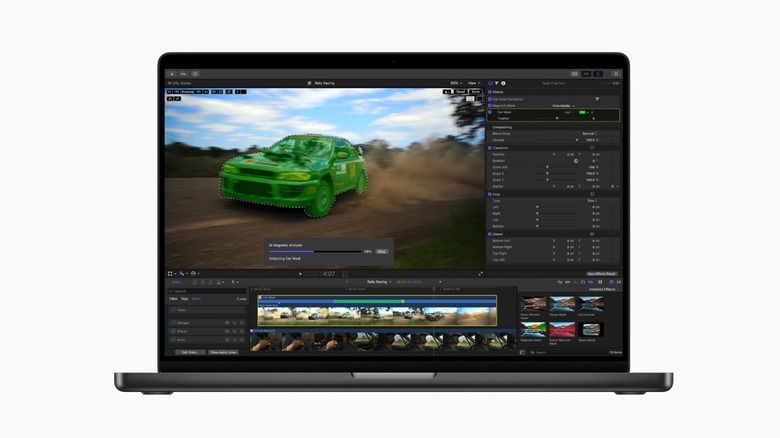
For professional video editors, the decision to remain in the Apple ecosystem often begins and ends with Final Cut Pro. Unlike its cross-platform competitors that rely on a traditional track-based system, Final Cut Pro utilizes the Magnetic Timeline. This feature allows for a fluid, collision-free editing experience that is particularly beneficial for complex projects where timing and synchronization are paramount. In 2026, the Final Cut Pro benefits for Apple Silicon users have expanded significantly with the integration of advanced Apple Intelligence features that automatically tag footage based on visual content and speaker sentiment.
The underlying architecture of the app is built specifically for the Metal API acceleration found in Mac hardware. This means that even 8K ProRes RAW footage can be scrubbed and edited with virtually zero latency on an M4 Ultra or M4 Max machine. When you compare this to the overhead required by Adobe Premiere Pro on a high-end Windows workstation, the efficiency of the macOS creative software becomes clear. Final Cut Pro is designed to sip power while delivering maximum performance, making it the premier choice for mobile editors who need to work on the go without being tethered to a wall outlet.
Who This Is For
- Professional editors who need to churn through high-resolution projects quickly.
- Creators who prefer a one-time purchase over a recurring monthly subscription.
- Users who prioritize a fluid, non-destructive editing workflow over rigid track systems.
Who Should Skip
- Editors working in collaborative environments where the rest of the team is strictly using Premiere Pro or DaVinci Resolve on Windows.
- Users who require deep, native integration with Adobe After Effects.
Pixelmator Pro: AI-Driven Photo Editing Without the Subscription
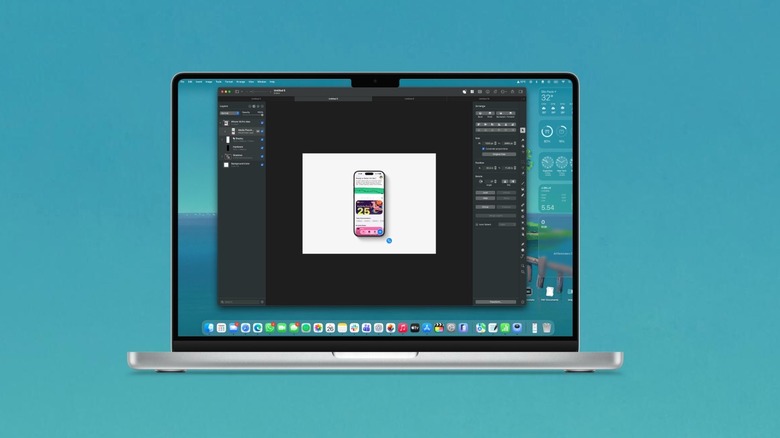
One of the most significant pain points for modern designers is the "subscription fatigue" associated with the Adobe Creative Cloud. This is where Pixelmator Pro has carved out a massive niche as one of the best macOS exclusive apps for creative professionals 2026. Priced at a flat fee of $49.99, it offers a comprehensive suite of photo editing, vector illustration, and painting tools that rival Photoshop in many key areas.
The 2026 version of Pixelmator Pro leans heavily into the Apple Silicon Neural Engine to power its AI features. Tasks like background removal, image upscaling, and noise reduction are handled locally on the device with incredible speed. Because the app is built using Swift and native macOS frameworks, it feels light and snappy even when working with large, multi-layered files. When conducting a Pixelmator Pro vs Windows photo editing software comparison, the most noticeable difference is the UI responsiveness. There is no "translation layer" or cross-platform bloat here; every menu and tool is designed to feel like a natural extension of the operating system.
Who This Is For
- Photographers and illustrators who want a professional tool with a one-time purchase model.
- Users who value a clean, intuitive interface that follows Apple’s design language.
- Creators who frequently use AI-assisted tools for image restoration and manipulation.
Who Should Skip
- Professionals who rely on specific, highly advanced Photoshop plugins that are not yet compatible with Pixelmator.
- Enterprise users who need the cloud-based collaborative features of the Adobe ecosystem.
Sketch: The Benchmark for Mac-Native UI/UX Design
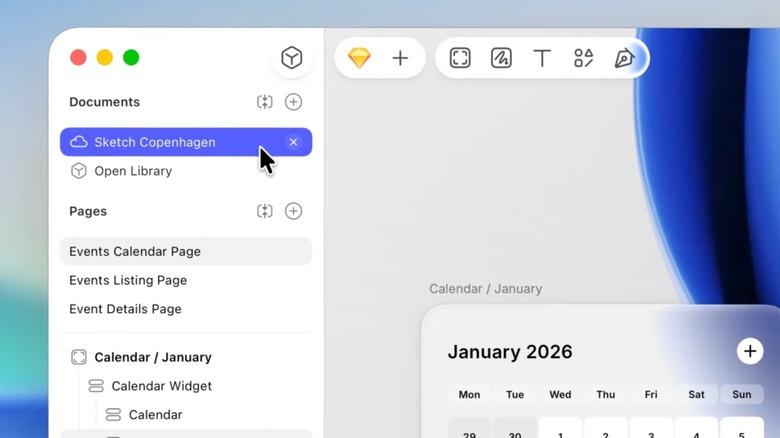
While Figma has dominated the web-based design space, Sketch remains a powerhouse for those who value native performance and a deeply integrated macOS experience. For designers who work locally and need the highest possible level of precision, the Sketch app vs Figma for Mac based designers debate often comes down to the quality of the vector engine and the reliability of the offline workflow.
In 2026, Sketch continues to be the preferred choice for professional Mac apps for designers who focus on UI/UX prototyping. It utilizes a symbol-based system that is both powerful and highly efficient. Because it is a native app, it leverages the MacBook trackpad gestures and Pro Display XDR color accuracy with more precision than a browser-based tool ever could. The vector-based graphics rendered in Sketch are sharp and light on system resources, ensuring that even the most complex design systems don't bog down your machine.
Who This Is For
- UI/UX designers who prefer working in a native macOS environment.
- Professionals who need a robust, offline-capable tool for complex design systems.
- Users who want the highest level of integration with macOS system fonts and UI elements.
Who Should Skip
- Teams that require real-time, multi-platform collaborative editing where Windows users are involved.
- Designers who primarily work in browser-based environments.
Ulysses: The Ultimate Writing Environment
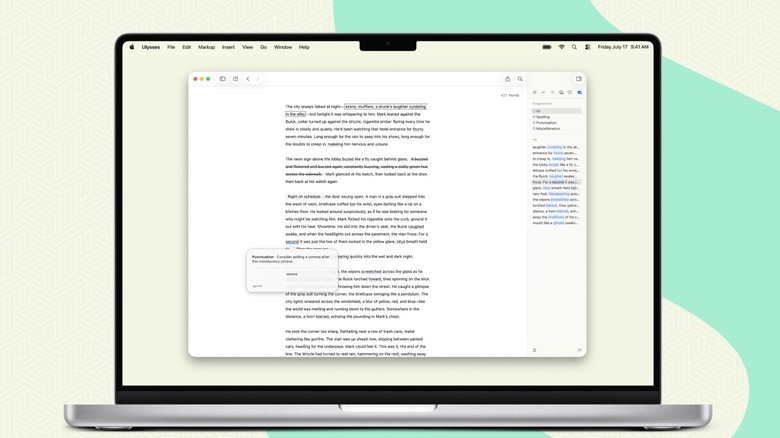
Content creation isn't just about visuals; it’s about the written word. Ulysses has long been regarded as one of the most exclusive Mac productivity tools for writers, and in 2026, it remains the gold standard for long-form content. What sets the Ulysses writing app for focused long-form writing apart is its ability to strip away the distractions of traditional word processors.
The app uses a sophisticated Markdown syntax that allows you to format your work without ever taking your hands off the keyboard. This creative workflow optimization is further enhanced by its library system, which organizes all your projects into a single, searchable database that syncs seamlessly via iCloud. While Windows users have access to Scrivener or Microsoft Word, neither offers the same level of focus-mode benefits or the aesthetic polish of Ulysses. For a writer, the software environment is their office, and Ulysses provides an office that is clean, organized, and perfectly optimized for the Apple ecosystem.
Who This Is For
- Authors, bloggers, and technical writers who need a distraction-free environment.
- Users who rely heavily on Markdown for web-based publishing.
- Writers who need a powerful organization system for multiple long-term projects.
Who Should Skip
- Students who are required to submit papers in very specific, legacy .doc formats with complex academic citations.
- Users who prefer a "What You See Is What You Get" (WYSIWYG) editor over Markdown.
Portal: Immersive Ambient Workflow for Focus
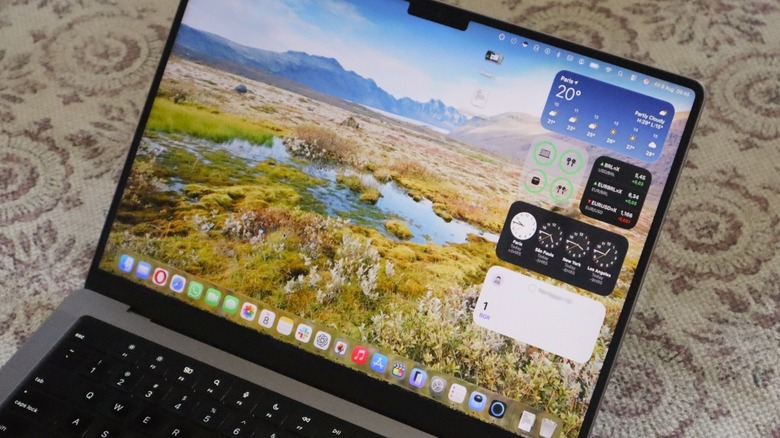
Productivity for a creative professional isn't just about the tools you use to build; it’s about the environment in which you work. Portal is one of those essential creative tools for Windows to Mac switchers that demonstrates the unique power of the Apple ecosystem. It provides immersive nature-based environments using spatial audio and high-definition visuals to create a high-focus atmosphere.
Portal is more than just a background noise app. It integrates deeply with macOS to manage system-wide focus modes and can even coordinate with your smart lighting. The reason it remains exclusive to Mac is the way it utilizes the hardware’s audio processing capabilities to deliver a 3D soundscape that feels truly physical. For a designer or developer deep in a flow state, the ability to "transport" their desk to the Swiss Alps or a rainy forest in the Pacific Northwest is a powerful tool for maintaining cognitive endurance.
The success of these apps highlights a broader trend in the industry. While Windows remains the king of versatility, the Mac ecosystem is where we see the most aggressive software-hardware synergy. Even in other creative sectors like audio, the Mac holds a dominant position. For example, Logic Pro ranked as the second most popular digital audio workstation in major 2026 industry surveys, maintaining a high adoption rate among independent artists within the macOS ecosystem.
Whether you are editing 8K video in Final Cut Pro or drafting your next novel in Ulysses, the advantage of using macOS exclusive apps comes down to the marriage of code and silicon. By choosing software that is purpose-built for the machine it runs on, you aren't just buying an app—you are buying a more efficient way to create.
FAQ
Why are many creative apps exclusive to macOS?
Many developers choose macOS exclusivity to focus their resources on a single hardware architecture. This allows them to use native APIs like Metal and Core Image, which are deeply integrated with Apple Silicon, resulting in better performance and stability than is often possible when developing for the thousands of different hardware combinations found in the Windows ecosystem.
Are Mac exclusive apps more optimized than cross-platform ones?
Generally, yes. Because exclusive apps are built specifically for macOS using native frameworks like Swift, they tend to have lower system overhead, faster launch times, and better power efficiency. They can directly leverage specific hardware features like the Neural Engine for AI tasks or the Pro Display XDR for color-critical work without needing a middle-ware compatibility layer.
Is professional video editing software often Mac-exclusive?
While there are excellent cross-platform options like DaVinci Resolve, some of the most influential tools like Final Cut Pro remain Mac-exclusive. This is largely due to the Magnetic Timeline and the way the software is optimized for ProRes workflows and Apple Silicon's media engines, which provide a uniquely responsive editing experience.
What are the essential exclusive apps for new Mac users?
For creatives switching from Windows, the essential starters are Final Cut Pro for video, Pixelmator Pro for photo editing, and Ulysses for writing. These apps showcase the best of the platform's native performance and UI design, helping new users quickly understand the benefits of the Apple software ecosystem.
Can I run macOS exclusive apps on a Windows PC?
No, macOS exclusive apps are compiled specifically for the macOS operating system and often for the ARM-based Apple Silicon architecture. They cannot be run natively on Windows. While some users attempt to use virtualization or "Hackintosh" setups, these solutions are often unstable, lack hardware acceleration, and are not recommended for professional creative work.