Quick Facts
- Top Overall: Halide Mark II ($49.99 one-time or $11.99/year)
- Best for Video: Blackmagic Camera (100% Free)
- Best for Versatility: ProCamera (Includes physical button support for iPhone 16/17)
- Best for Purists: FiLMiC Firstlight (ISO Adaptive Mode converts noise to grain)
- Best for Older Models: Camera+ 2 (Enables Portrait Mode for non-Pro hardware)
- Best Free Option: Adobe Project Indigo (Professional DNG capture and super-resolution)
The best iPhone manual camera apps for professional photography include Halide Mark II, ProCamera, and Blackmagic Camera. These apps allow users to manually adjust Shutter Speed and ISO, which the native iOS app restricts, while supporting DNG and ProRAW formats to bypass aggressive computational processing for more natural-looking textures.
Why Native Apps Aren't Enough: The Case for Manual Control
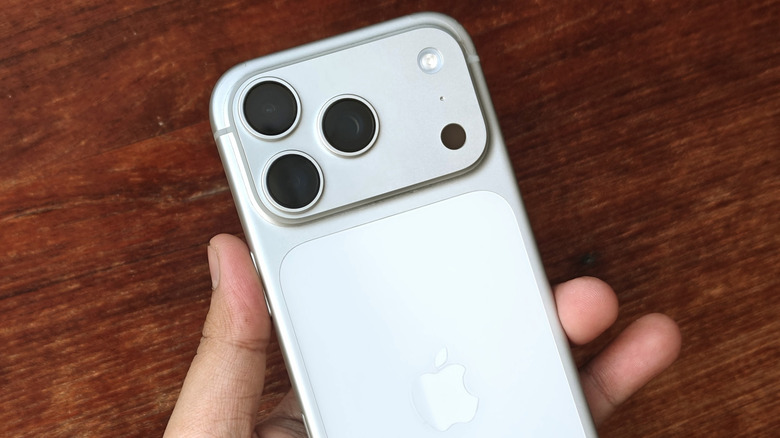
As a photography editor, I often hear the same complaint from professionals migrating to mobile: the hardware is incredible, but the software is suffocating. If you are using the latest iPhone 17 Pro, you have a sensor that rivals many high-end point-and-shoot cameras. However, Apple's native camera app is designed for the masses, prioritizing a bright, punchy look that often relies on aggressive computational processing. This leads to the over-processed shadow problem where shadows are unnaturally lifted and fine textures like skin or fabric are scrubbed away by noise reduction.
To reclaim your creative intent, you need manual exposure controls iPhone apps. By shifting from Auto to Intentional exposure, you decide how to manage the Dynamic Range of a scene. Do you want to silhouette a subject against a sunset? A native app will try to balance the light; a manual app lets you drop the exposure until the subject is perfectly dark. Furthermore, third-party apps give you access to the raw EXIF Metadata, ensuring that every choice you make is recorded for your post-processing workflow. Learning how to get DSLR controls on iPhone using third-party apps is the single most effective way to turn a smartphone into a legitimate tool for professional imaging.
1. Halide Mark II: The Gold Standard for RAW Quality
For those seeking the pinnacle of iPhone manual camera apps, Halide Mark II is almost always the starting point. It is an Apple Design Award-winning camera application that has built a reputation on being built by photographers, for photographers. With over 13,000 user ratings and a 4.4-star average, it is a highly refined tool that prioritizes tactile, gesture-based control.
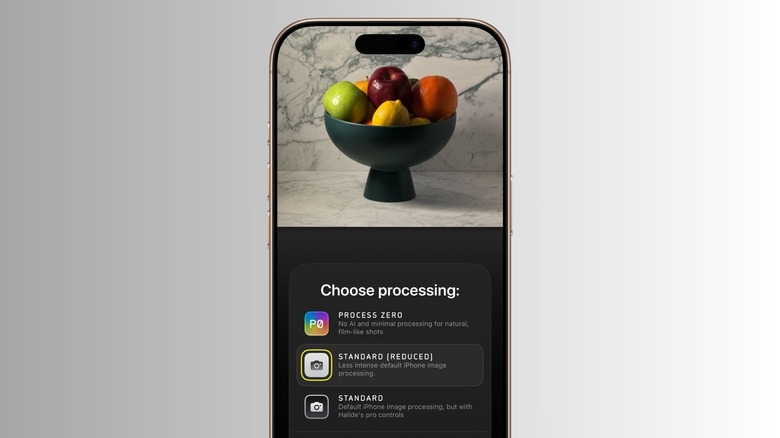
The standout feature for the iPhone 17 Pro era is Process Zero. Unlike ProRAW, which still applies some Apple-designed heavy lifting, Process Zero captures a single-exposure DNG with no computational stacking. This results in photos with a beautiful, film-like grain rather than the plastic-looking smoothness often seen in standard mobile photography. The interface allows for rapid adjustments of Shutter Speed and ISO Sensitivity using simple swipes, making it easy to react to changing light conditions in the field.
Advanced Visualization Tools
Halide doesn't just give you controls; it gives you the data to use them effectively. The app features a high-fidelity Live Histogram and XDR 14-bit RAW tools that show you exactly where your highlights are clipping. For manual focus enthusiasts, the focus peaking is incredibly sharp, allowing you to nail the focal plane even with the shallow depth of field provided by the iPhone's large main sensor.
Pros:
- Industry-leading Process Zero for natural textures.
- Best-in-class iPhone manual camera apps with ProRAW support.
- Intuitive gesture-based interface optimized for one-handed use.
Cons:
- Subscription or high one-time purchase price.
- Can be overwhelming for complete beginners.
2. ProCamera: Professional Versatility for Photo and Video
If Halide is the minimalist choice, ProCamera is the Swiss Army knife. It is arguably the best professional camera apps for iPhone if you need a single tool that handles both complex photography and high-end video. One of its most powerful features is the granular manual exposure compensation ranging from -7 EV to +7 EV, giving you far more range than the native app's limited slider.
ProCamera has stayed ahead of the curve by including dedicated support for the physical camera button on the iPhone 16 and 17 series. This integration allows you to half-press to lock focus or use the tactile wheel to cycle through manual overrides. For those shooting in challenging environments, the app offers Exposure Zebras to highlight overexposed areas and a sophisticated White Balance tool that includes grey card calibration.
Mastering Low Light and Macro
The app shines as one of the best iPhone manual camera apps for low light and night photography. It allows for extended shutter speeds that enable light painting or silky-smooth water effects without the need for a separate ND filter in some cases. Additionally, its macro mode provides better focus control than the automatic switching found in the native iOS software, which is essential for professional-grade close-up work.
Pros:
- Supports physical hardware buttons for a tactile experience.
- Excellent integration of Live Histogram and Exposure Zebras.
- Robust video features alongside photography.
Cons:
- The interface is dense and takes time to master.
- Some features require additional in-app purchases.
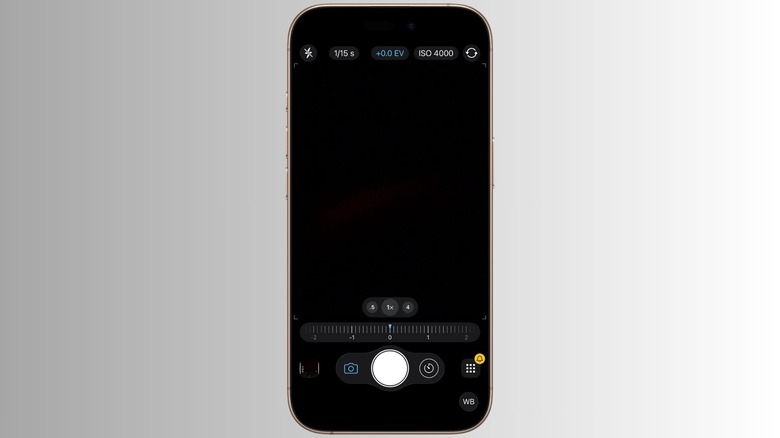
3. Blackmagic Camera: The Ultimate Free Tool for Filmmakers
It is rare to find a professional-grade app that is completely free, but Blackmagic Design has disrupted the market with Blackmagic Camera. While its focus is heavily on cinematography, it serves as a masterclass in how to manage best camera apps for iPhone manual video controls. If you are a photographer looking to branch into mobile cinematography, this app provides a professional layout identical to what you would find on a high-end digital cinema camera.
The app allows for precise control over Shutter Speed (expressed as shutter angle for film purists), ISO Sensitivity, and White Balance. It supports a variety of professional codecs and offers 150Mbps 4K encoding, ensuring that your footage has the highest possible bit rate for Color Grading in post-production. For those looking for free professional camera apps for iPhone with manual mode, this is the gold standard, providing real-time analytics like false color and waveform monitors that were previously only available on expensive external monitors.
Pros:
- 100% free with no subscriptions or hidden fees.
- Professional-grade analytics like Waveform and False Color.
- Direct integration with Blackmagic Cloud for collaborative workflows.
Cons:
- Purely focused on video; no dedicated still photo mode.
- High storage requirements due to professional bitrates.
4. FiLMiC Firstlight: Aesthetic Control Meets Technical Precision
FiLMiC Firstlight is designed for photographers who want the "film look" without sacrificing technical accuracy. Most "filter" apps simply overlay a look on top of a compressed JPEG, but Firstlight integrates its aesthetics directly into the capture pipeline. Its ISO Adaptive Mode is a standout feature; instead of letting the sensor produce ugly digital noise as ISO Sensitivity increases, the app converts that noise into a mathematically accurate film grain that varies based on the light levels.
This app is perfect for those who want professional iPhone camera apps with film grain and presets but still need to control their Shutter Speed manually. The interface is clean and utilizes "film simulations" that act more like different film stocks than Instagram filters, preserving the Dynamic Range and natural roll-off of highlights.
Pros:
- ISO Adaptive Mode creates beautiful, organic grain.
- Fast, reactive interface for street photography.
- High-quality film simulations that don't look over-processed.
Cons:
- Development has slowed compared to Halide or ProCamera.
- Limited video capabilities compared to its sibling, FiLMiC Pro.
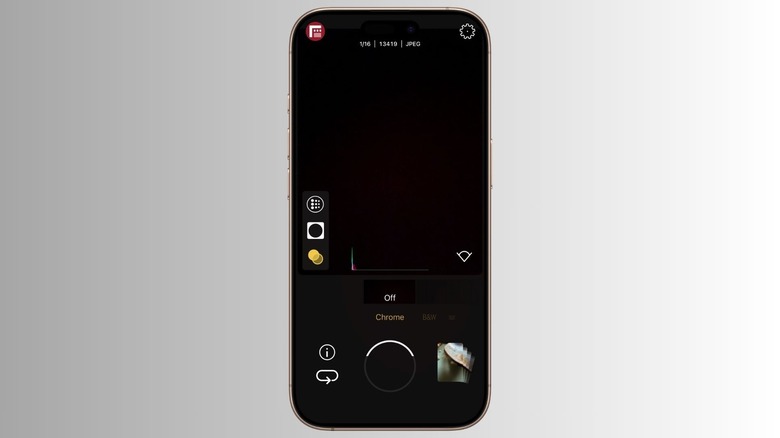
5. Camera+ 2: The Best Choice for All Hardware Levels
While many apps focus on the latest Pro models, Camera+ 2 is widely considered one of the best manual camera apps for iPhone macro photography and older hardware. It has a unique ability to backport modern features. For instance, it can enable a software-based Portrait Mode on older devices like the iPhone XR or SE that don't have dual-lens systems.
For the modern photographer, Camera+ 2 offers a "Lab" for editing and a "Camera" for capture that feels very cohesive. Its manual mode provides clear, easy-to-read dials for Shutter Speed and ISO. It also features a "Smile Mode" that triggers the shutter only when subjects are smiling, which is a great example of combining manual control with smart assistance. For those using the best manual camera apps for iPhone 17 Pro, it offers a robust ProRAW workflow that is very beginner-friendly compared to the technical depth of ProCamera.
Pros:
- Excellent for macro and specialized shooting modes.
- Great compatibility with older iPhone models.
- Includes a powerful built-in editor.
Cons:
- Interface can feel a bit dated compared to Halide.
- Some "Pro" features are locked behind a paywall.
FAQ
Can you manually control the camera settings on an iPhone?
Yes, you can manually control camera settings, but not within the native Apple camera app. To adjust settings like Shutter Speed and ISO Sensitivity, you must use third-party iPhone manual camera apps like Halide or ProCamera. These apps unlock the hardware's full potential, allowing you to override the automatic decisions made by the iOS system.
Are there any free manual camera apps for iOS?
Yes, there are several high-quality free options. Blackmagic Camera is completely free and offers professional manual video controls. Adobe’s Project Indigo (part of the Lightroom ecosystem) also provides excellent manual photo controls and DNG capture for free, though some cloud storage features require a subscription.
How do I adjust shutter speed and ISO on my iPhone?
To adjust these settings, open a manual camera app and look for the exposure controls. Usually, you will see an "M" for Manual or separate icons for a shutter (the circle with blades) and ISO. Tapping these will typically reveal a slider or a dial that allows you to increase or decrease the values. This is particularly useful for best iPhone apps for manual exposure and focus peaking as it lets you see exactly what is in focus as you change your settings.
Do manual camera apps actually improve photo quality?
Manual camera apps improve photo quality by giving you control over the capture process. By choosing your own ISO Sensitivity and Shutter Speed, you can prevent the "muddy" look caused by the native app's aggressive noise reduction. Capturing in DNG Format through these apps allows you to retain more data, which is essential for high-quality Color Grading and editing.
Can manual camera apps capture photos in RAW format?
Yes, most professional iPhone RAW photography apps support both standard RAW (DNG) and Apple’s ProRAW. Shooting in RAW through these apps is superior to standard JPEGs because it preserves the original sensor data without applying permanent sharpening or tone mapping, giving you total creative control in the editing suite.