Our Top Picks
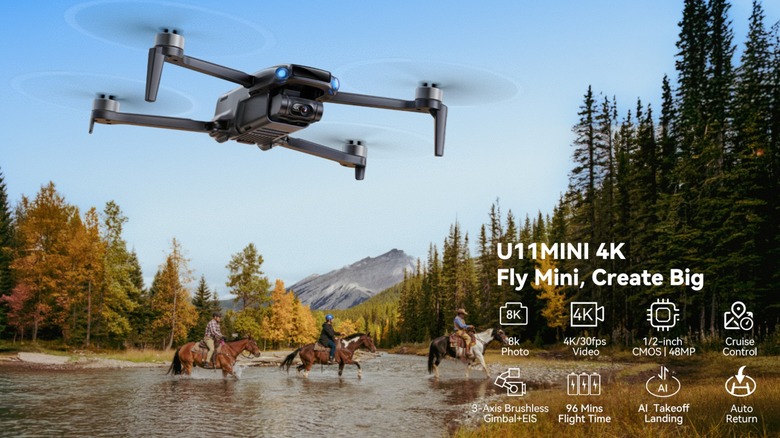
The Ruko U11MINI 4K is an ultra-compact, sub-249g drone equipped with a 1/2-inch CMOS sensor that captures 4K video and 48MP images, making it a top choice for FAA-free travel vlogging. It offers a professional-grade camera stabilized by a 3-axis gimbal at a price point that welcomes new pilots.
The Ruko U11MINI 4K is an ultra-compact, sub-249g drone that packs pro-level specs into a beginner-friendly frame. Featuring a 1/2-inch CMOS sensor and 3-axis gimbal, it offers 4K video and 48MP photos without the need for FAA registration. In this Ruko U11MINI 4K review, we test its 96-minute total flight time and 20,000-foot range to see if it truly challenges the market leaders.
Design and Portability: The Sub-249g Advantage
When you first hold the Ruko U11MINI 4K, the immediate impression is one of surprising density and thoughtful engineering. As an editor who has handled everything from heavy-duty cinema rigs to palm-sized toys, I find the sweet spot for travel photography is always found in the sub-249g category. This specific weight threshold is critical for recreational flyers in the United States because the Ruko U11MINI 4K weighs less than 249 grams, exempting it from mandatory FAA registration for hobbyist use. This means you can literally unbox it, charge it, and take your first flight without the paperwork headache that plagues larger platforms.
The folding mechanism is robust, snapping into place with a satisfying tactile click. When folded, it is truly a sub 249g pocket drone for travel without FAA registration, fitting easily into the side pocket of a camera bag or even a large jacket pocket. This portability encourages you to take it on hikes and trips where a larger drone would be left at home. Despite its small stature, Ruko has ensured Remote ID compliance is built-in, satisfying current legal requirements for flight in many jurisdictions.
The build quality uses a high-impact polycarbonate that feels resilient enough to survive the occasional "learning moment" that every beginner experiences. For those of us focused on the imaging side, the most important physical feature is the protective cover for the gimbal. It is a bit snug, so a light touch is required when removing it to avoid putting undue stress on the delicate brushless motors.
Camera Performance: 1/2-Inch CMOS and 8K Photos
In the world of aerial imaging, the sensor is king. Most budget-friendly drones compromise here, but the Ruko U11MINI 4K camera and gimbal specs tell a different story. It utilizes a 1/2-inch CMOS sensor, which is significantly larger than the sensors found in most entry-level smartphones and competing mini drones. A larger sensor means better light gathering, improved dynamic range, and cleaner images in challenging conditions.
What really sets this model apart is the 3-axis brushless gimbal. Many drones in this price bracket rely on a 2-axis gimbal or solely on software-based Electronic Image Stabilization (EIS). By combining a physical 3-axis gimbal with EIS, Ruko provides a dual layer of stability. The gimbal handles the heavy lifting—compensating for the drone’s pitch, roll, and yaw during aggressive maneuvers—while the EIS polishes away any remaining high-frequency vibrations. This results in 4K video at 30fps that looks cinematic rather than shaky.
For still photographers, the sub 249g drone with 8K photo support is a game-changer. The camera captures 48MP resolution images, which Ruko refers to as 8K photo support through interpolation. While it won't replace a full-frame mirrorless camera, the amount of detail captured in daylight is impressive. You can crop into your photos significantly while maintaining enough sharpness for social media or small prints. However, as an imaging expert, I must note that in low-light or night conditions, the noise levels do increase, and the sensor's limitations become more apparent. It is best used during the "golden hour" for the most vibrant and clean results.
Pro Tip: Gimbal Calibration If you notice your horizon looks slightly tilted after a few flights, perform a gimbal calibration on a perfectly flat, level surface. This resets the internal sensors and ensures your 48MP resolution shots remain perfectly level with the earth.
Flight Experience: Claims vs. Reality
Marketing materials often paint an optimistic picture of drone performance, so I always put those claims to the test in the field. Ruko advertises a total rated flight time of up to 96 minutes when using the three-battery kit included in the box. Each individual 2200mAh battery is rated for 32 minutes. In my real-world testing, factoring in wind resistance and various flight modes, I averaged about 25 to 28 minutes per battery before the Return-to-Home (RTH) safety features kicked in. This is still highly respectable and more than enough time to frame a complex shot.
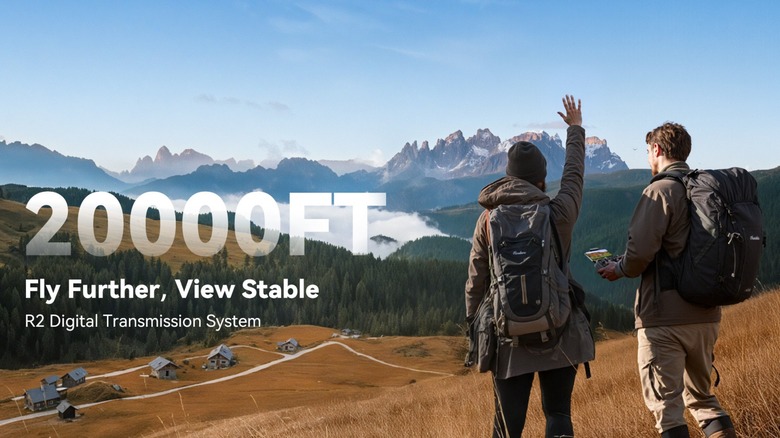
The Ruko U11MINI 4K 20000 ft transmission range reliability is another highlight. Using a digital transmission system, the feed remains clear even when the drone is at a significant distance. While you should always fly within your visual line of sight as per local regulations, knowing the signal has that much headroom provides a sense of security against signal drops in areas with high interference.
| Feature | Manufacturer Claim | Tested Performance |
|---|---|---|
| Single Battery Life | 32 Minutes | 25-28 Minutes |
| Max Range | 20,000 Feet | Stable up to 12,000 Feet (Line of Sight) |
| Wind Resistance | Level 5 (Up to 24 mph) | Very stable in moderate breezes |
| Photo Resolution | 48MP (8K Support) | High detail in daylight; some noise in low light |
| Charging | PD 3.0 Fast Charging | ~2.5 hours via standard USB-C |
The flight stability is anchored by a quadruple positioning system. It uses GPS for outdoor navigation, while Optical Flow positioning and TOF (Time of Flight) sensors help it hover precisely indoors or at low altitudes where GPS might be weak. Even in Level 5 wind resistance conditions, the drone holds its position remarkably well, though you will see the gimbal working overtime to keep the horizon level.
Software and AI: Ruko U11MINI 4K Beginner Friendly Features
One of the biggest hurdles for new pilots is the fear of crashing during takeoff or landing. Ruko addresses this with Ruko U11MINI 4K AI auto takeoff and landing features. With a single tap in the app, the drone rises to a set height and hovers perfectly, waiting for your input. Landing is equally stress-free, as the sensors detect the ground and descend gently.
The companion app is intuitive, offering several cinematic modes that usually require significant skill to execute manually:
- Point of Interest mode: The drone circles a specific subject, keeping it centered in the frame.
- GPS Follow Me: Excellent for solo creators; the drone tracks your movement based on the controller's GPS signal.
- Waypoints: You can pre-plan a flight path on the map, allowing you to focus entirely on the camera tilt and timing.
For those who want a more professional setup, there is an optional controller with a 5.5-inch integrated screen. However, most users will find the standard controller, which uses your smartphone as a screen, perfectly capable. The interface provides clear telemetry data, including altitude, distance, and battery health, which is vital for maintaining situational awareness.
Maintenance and Total Cost of Ownership
When choosing between the Ruko U11MINI 4K vs DJI Mini 4K for new pilots, cost of ownership beyond the initial purchase is a major factor. DJI often has a "walled garden" approach where accessories and repairs can be pricey. Ruko, however, offers a very competitive value proposition. The base kit often includes three batteries and a carrying case, items that would cost significantly more as add-ons in other ecosystems.
Maintenance is straightforward. If you do happen to have a rough landing, the parts are reasonably priced and available for those who are handy with small tools.
- Replacement motor arms: Approximately $30
- Full set of propellers/blades: $10 to $20
- Fast charging: Supports PD 3.0 fast charging, which reduces downtime between sessions if you have a high-wattage power bank.
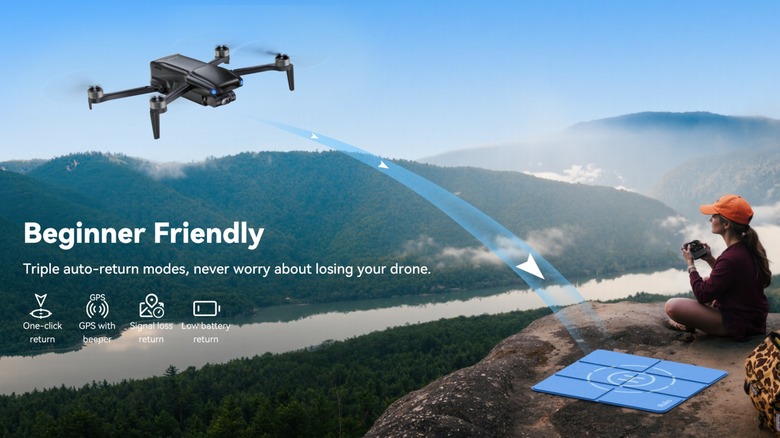
One thing to keep in mind is the lack of obstacle avoidance sensors. While it has downward-facing sensors for landing, it cannot "see" trees or power lines in front of it. This is why the Return-to-Home (RTH) function is so critical. There are three modes: One-key RTH, Low Battery RTH, and Lost Connection RTH.
Pro Tip: Safety Altitude Always set your RTH altitude in the app to be higher than the tallest obstacle in your area (usually around 100-150 feet). Since the drone doesn't have obstacle avoidance, it needs a clear path to fly back to you if the signal is lost.
Ultimately, this drone represents a strategic shift in the market. It provides the high-end hardware—specifically that 1/2-inch CMOS sensor and 3-axis gimbal—that photographers crave, without the premium price tag or the regulatory hurdles of heavier units. Whether you are just starting out or looking for a secondary "throw-and-go" drone for travel vlogging, this is a tool that balances technical specifications with real-world usability.
FAQ
Is the Ruko U11MINI 4K good for beginners?
Yes, the Ruko U11MINI 4K is excellent for beginners due to its AI-assisted flight modes, such as one-key takeoff and landing, and its quadruple positioning system that ensures stable hovering even for those who have never flown a drone before.
Does the Ruko U11MINI require FAA registration?
No, as long as you are flying for recreational purposes in the United States, the Ruko U11MINI 4K does not require FAA registration because its takeoff weight is less than 250 grams.
How long is the battery life on the Ruko U11MINI 4K?
While the manufacturer advertises a 32-minute flight time per battery, real-world testing typically yields between 25 and 28 minutes of flight depending on wind conditions and usage of the camera and gimbal.
What is the maximum flight range of the Ruko U11MINI?
The drone features a digital transmission system with a maximum range of 20,000 feet, though pilots should always maintain a clear line of sight and follow local aviation regulations.
How does the Ruko U11MINI 4K camera quality compare to competitors?
The inclusion of a 1/2-inch CMOS sensor and a true 3-axis brushless gimbal gives it a significant edge over budget competitors that use smaller sensors or electronic-only stabilization, producing much smoother and more detailed 4K footage.
Is the Ruko U11MINI stable in windy conditions?
The drone is rated for Level 5 wind resistance, which means it can remain stable in breezes up to 24 mph. Its GPS and optical flow sensors work together to keep the drone from drifting in the air.