Quick Facts
- Primary OS: iOS 27 (Expected Fall 2026)
- Supported Assistants: Siri, ChatGPT, Google Gemini, Grok, Perplexity
- Hardware Control: Siri Exclusive (Climate, locks, windows)
- Best for Knowledge: ChatGPT and Google Gemini
- Connectivity: Requires iPhone with iOS 27 and active data plan
- Safety Feature: Hands-free voice-only interaction for third-party apps
- Key Update: Apple introduced support for third-party voice-based conversational apps in CarPlay starting with iOS 26.4
iOS 27 allows third-party CarPlay AI assistants like ChatGPT to integrate directly with the dashboard, offering advanced conversational intelligence alongside Siri's hardware control. While Siri remains the default for core vehicle functions, users can now use hands-free voice commands to interact with external chatbots for real-time information retrieval, text summarization, and more natural conversational engagement during their drive.
The iOS 27 Shift: Why Apple Opened CarPlay to Rivals
For years, the experience of using Siri in the car felt like talking to a very polite but limited remote control. It could play your music, send a text, or find the nearest Starbucks, but it struggled with the nuance of human conversation. That changed at WWDC 2026 when Apple announced a pivot that many in the industry thought would never happen. By opening up Third-party SDKs to generative AI developers, Apple has effectively turned the dashboard into a battleground for the best virtual passenger.
The evolution from a simple infotainment system to a platform powered by Large Language Models is a response to a changing market. A recent consumer survey revealed that 47% of vehicle owners expect their next car to include AI-powered voice assistants, suggesting that the traditional, static voice command era is over. Furthermore, 35% of buyers would consider switching brands for superior in-car AI infotainment systems, placing immense pressure on Apple to match the capabilities of rivals like Tesla’s Grok or Google’s deep Gemini integration in Android Automotive.
The iOS 27 CarPlay updates represent a strategic move toward an open ecosystem. Instead of forcing users into a one-size-fits-all model, Apple is betting that it can maintain user loyalty by being the best host for whichever Generative AI the user prefers. This shift moves the focus from "link-providing" interfaces to "information-summarizing" ones, where your car doesn't just give you a list of search results but actually explains the context of your query while you keep your eyes on the road.
Siri vs. ChatGPT: Which Voice Assistant Wins the Dash?
When we look at the comparison between Siri vs ChatGPT CarPlay, it is helpful to think of them as two different types of co-pilots. Siri is the "Efficient Secretary"—the one who has the keys to the house and knows exactly where the light switches are. ChatGPT, on the other hand, is the "Engaging Passenger"—the one who has read every book in the library and can keep a fascinating conversation going for a three-hour road trip.
Siri remains superior for system-level tasks because of its deep integration with iPhone hardware and the vehicle’s internal systems. If you need to roll down the windows, check your tire pressure, or switch the climate control to 72 degrees, Siri is your only option. This is due to a security architecture called sandboxing, which prevents third-party apps from touching critical car functions.
However, when it comes to world knowledge and complex task management, the third-party CarPlay AI assistants take the lead. If you ask for a summary of the morning's top news stories or need to brainstorm ideas for a birthday gift while stuck in traffic, ChatGPT provides a much more natural and comprehensive response.
| Feature | Siri (Native) | ChatGPT / Gemini (Third-Party) |
|---|---|---|
| Vehicle Control | Full (AC, Windows, Locks) | None (Sandboxed) |
| Phone & Messaging | Deep Integration | Voice-only / Read-only |
| Knowledge Base | General / Web-based | Advanced LLM / Generative |
| Productivity | Basic Reminders | Complex Scheduling & Synthesis |
| Response Speed | Instant (On-device) | Dependent on Data Connection |
| Conversational Flow | Command-based | Natural Language Processing |
Evaluating voice commands for CarPlay AI performance shows that while Siri is faster for "one-and-done" requests, ChatGPT is significantly better for multi-turn conversations. For instance, if you are looking for the best ai assistants for carplay calendar management, you might find that Siri can add an event, but ChatGPT can look at your itinerary and suggest the best time to leave based on a complex set of preferences you discussed earlier.
How to Set Up ChatGPT on Apple CarPlay (iOS 27)
Setting up your preferred AI assistant isn't as simple as flipping a single switch, but it has become much more streamlined with the latest iOS 27 CarPlay updates. The process involves ensuring your iPhone is properly configured before you even step into the vehicle.
- Update your Software: Ensure your iPhone is running the latest version of iOS 27. Most of the advanced Third-party SDKs required for these integrations are not backward compatible with older versions.
- Install the AI Extension: Visit the App Store and download a compatible AI assistant app. Look for the "CarPlay AI Extension" badge in the app description. Popular choices currently include ChatGPT, Perplexity, and Google Gemini.
- Enable Voice Triggers: Within the app settings on your iPhone, you will need to enable specific voice commands for CarPlay AI. This usually involves granting microphone permissions and setting up a custom wake word if the app supports it.
- Configure CarPlay Settings: Go to Settings > General > CarPlay on your iPhone. Select your vehicle and ensure that the AI app is moved to the "Include" list. You can also rearrange the icon on the dashboard interface for easier access.
- Manage Permissions: Because of User privacy regulations, you will likely need to sign in to your Plus or Pro account (such as ChatGPT Plus) to access the high-speed, real-time data features required for a smooth driving experience.
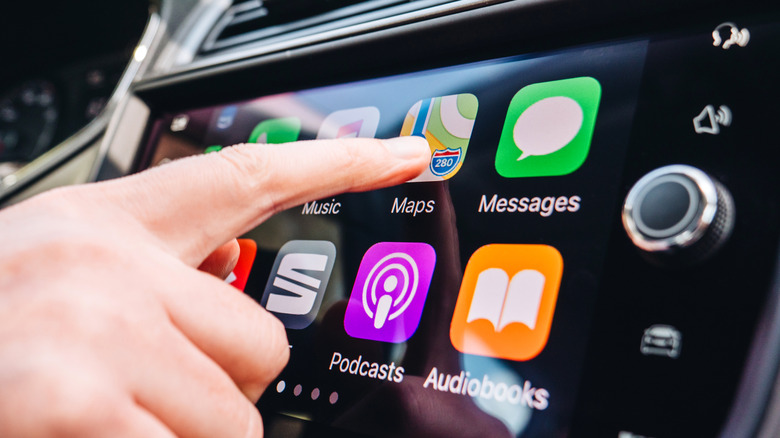
Once configured, the setup allows for hands-free navigation of complex information. You can simply tap the app icon on your screen or use the designated voice trigger to start a session. This integration is a major step forward for In-car productivity, allowing users to handle email drafts or meeting preparation through natural speech without ever touching their phone. Knowing how to set up chatgpt on apple carplay ios 27 is becoming a must-have skill for the modern commuter.
Privacy, Safety, and the AI Sandbox Limitations
While the prospect of having a genius in your dashboard is exciting, there are significant limitations of third party ai assistants in carplay that users need to understand. Apple is notoriously protective of user data, and that hasn't changed with iOS 27.
The most prominent limitation is the "Sandbox." Third-party assistants cannot read your personal SMS messages or access your private photos. When you ask ChatGPT to "Read my last text," it will likely tell you it doesn't have permission. Siri remains the gatekeeper for this sensitive information. This is a deliberate choice by Apple to maintain high standards of User privacy.
Safety is the other major concern. To minimize visual distractions, Apple mandates that third-party AI assistants remain primarily voice-based. You won't see long paragraphs of text appearing on your car’s head unit while driving. Instead, the assistant will speak the information to you. Natural language processing has improved enough that these interactions feel less like a robot reading a script and more like a human conversation, which is actually the safest way to use ai chatbots in carplay. By keeping the driver's eyes on the road and hands on the wheel, these AI tools aim to reduce the cognitive load of searching for information manually.
FAQ
What is an AI assistant for Apple CarPlay?
An AI assistant for Apple CarPlay is a voice-activated software application that integrates with your vehicle's display to provide conversational help. While Siri is the built-in option, newer updates allow third-party apps like ChatGPT to provide advanced information, summarization, and entertainment through the car's speakers and microphones.
Which AI apps are compatible with CarPlay?
As of the latest software releases, compatible apps include ChatGPT, Google Gemini, Perplexity, and Grok. These apps must be updated to include the specific CarPlay extension and are typically found on the App Store under the productivity or AI categories.
Can I use voice commands with CarPlay AI assistants?
Yes, voice commands are the primary way to interact with these assistants. Because safety is a priority, Apple restricts most visual interactions while the car is in motion, requiring users to rely on natural language processing to ask questions and receive answers.
How do CarPlay AI assistants differ from standard Siri?
Standard Siri is optimized for controlling your iPhone and vehicle hardware, such as making calls or adjusting the temperature. Third-party CarPlay AI assistants are powered by Large Language Models, making them much better at answering complex questions, summarizing long documents, or having creative conversations.
Are there any safety concerns with using AI in the car?
The main concern is driver distraction. However, Apple mitigates this by enforcing voice-only interactions for most AI tasks. The goal is to provide a hands-free experience that prevents drivers from looking at their phone screens, though users should always remain focused on the road.
The Future of the Smart Cockpit
The arrival of diverse CarPlay AI assistants signals the beginning of the "Smart Cockpit" era. We are moving away from a time when the car was a disconnected bubble and toward a future where the vehicle is a fully integrated extension of our digital lives. As Conversational AI continues to evolve, the line between our mobile devices and our transportation will continue to blur.
We are already seeing hints of what's next, with some manufacturers exploring native car-focused AI that can predict maintenance needs or suggest optimized routes based on your stress levels. For now, the ability to choose between Siri's reliability and ChatGPT's brilliance gives drivers the best of both worlds. If you haven't yet explored these features, now is the time to check your settings and see how a little extra intelligence can transform your daily commute.