Quick Facts
- Top Overall Recommendation: CyberLink PowerDirector 365 offers the best balance of professional features and accessibility for general users.
- Professional Choice: Adobe Premiere Pro remains the industry standard for collaborative workflows and complex post-production pipelines.
- Best for Color & Value: DaVinci Resolve is the preferred high-end tool for color grading with a generous free tier and a one-time lifetime license.
- Optimized for Mac: Final Cut Pro provides the most efficient performance on Apple Silicon, featuring a unique trackless magnetic timeline.
- Social Media & AI: CapCut and Microsoft Clipchamp lead the way for vertical video and automated viral content creation.
- Market Growth: The global video editing software market is projected to reach $3.75 billion in 2026.
- AI Integration: AI-powered editing tools are seeing a 42% annual growth rate as of 2026.
Choosing the best video editing software involves balancing AI efficiency with hardware performance. In 2026, CyberLink PowerDirector 365 is the top-ranked best video editing software for general users, combining professional AI tools with high render speeds. It includes advanced features like auto-captioning, motion tracking, and 4K support while remaining accessible to beginners, making it especially efficient for YouTube creators and small businesses seeking a versatile alternative to more complex studio-grade programs.

The Evolution of Video Editing in 2026
When we look at the landscape of professional video editing software 2026, the shift is no longer just about who has the most buttons on the screen. It is about how efficiently a program utilizes your hardware. We have moved past the era of waiting hours for a preview to render. Today, the conversation revolves around GPU acceleration and how software leverages neural engines to handle tasks that used to take days.
The market has matured significantly. While Adobe Premiere Pro dominates the professional landscape with a 35% market share, followed by Final Cut Pro X at 25% and DaVinci Resolve at 15%, the gap in capabilities is narrowing. What separates the best video editing software from the rest in 2026 is the integration of generative AI tools that handle the tedious bits—like masking, transcribing, and color matching—allowing you to focus on the story.
The Professional Standard: High-End Studio Solutions
For those working in a high-pressure environment, the requirements for the best video editing software are rigid. You need rock-solid stability, extensive codec support including ProRes RAW and AV1, and the ability to handle multi-camera editing across dozens of tracks.
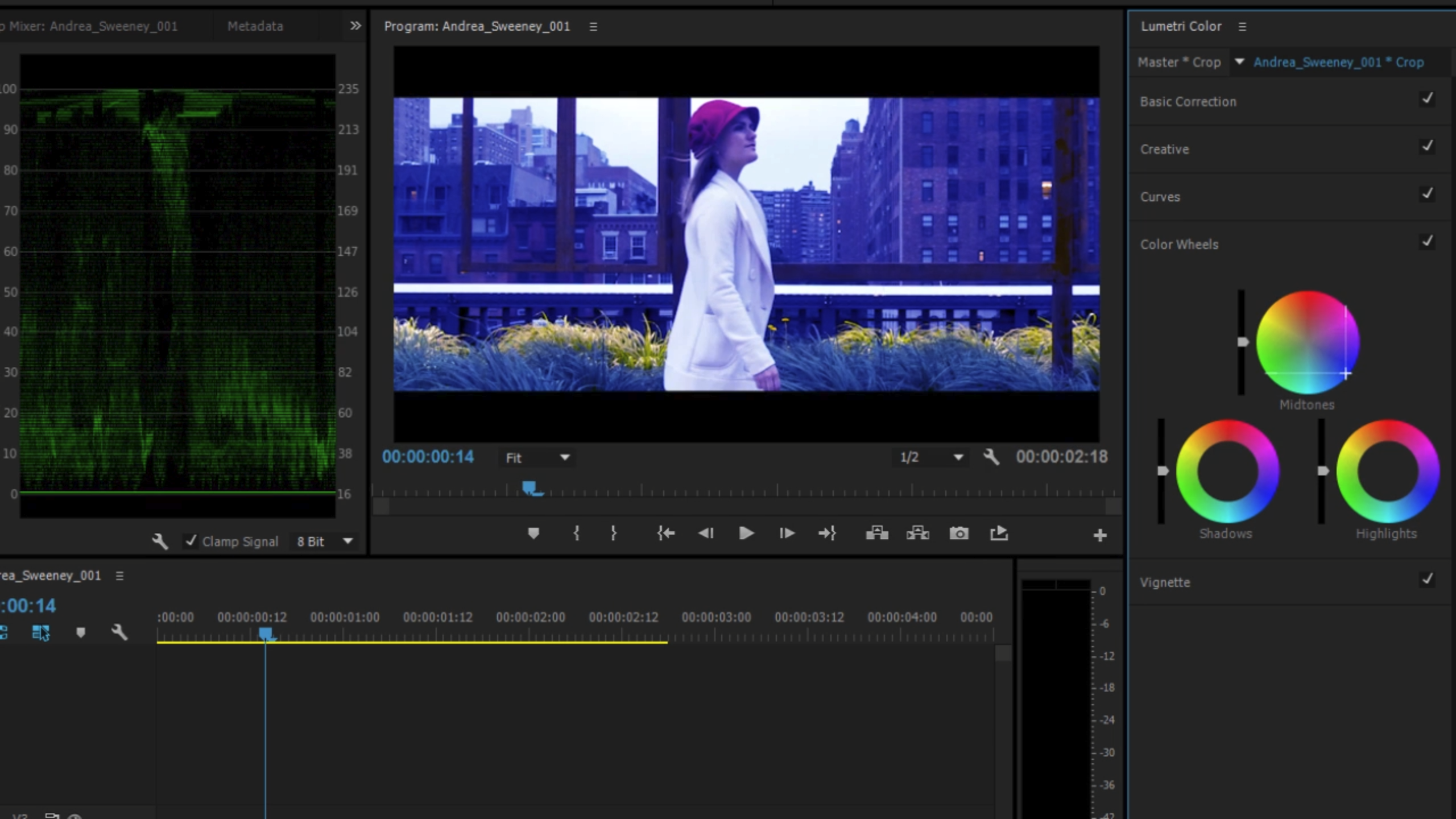
Adobe Premiere Pro
Adobe has maintained its lead by leaning heavily into cloud-based collaboration. In 2026, Premiere Pro is less of a standalone app and more of a hub. Its text-based editing feature has become the standard workflow for documentary editors, where you can literally edit your video by cutting and pasting words in a transcript.
Pros
- Unmatched industry adoption making collaboration seamless.
- Constant updates to generative AI tools for audio cleanup and object removal.
- Deep integration with After Effects and Photoshop.
Cons
- The subscription model results in a high total cost of ownership.
- Can be resource-heavy on older Windows rigs without significant GPU acceleration.
DaVinci Resolve
DaVinci Resolve has become the best video editing software no subscription for professionals who want to own their tools. It has evolved from a simple color grading application into a full-scale post-production pipeline that includes Fairlight for audio and Fusion for VFX.

One of the biggest draws in 2026 remains the price. While it costs $295 for the Studio version, it is a one-time fee. Considering the global video editing market is growing at a compound annual growth rate of 5.8%, saving on monthly fees adds up for independent studios.
Pros
- The world's best color grading tools used in Hollywood.
- Incredible performance optimization for both NVIDIA and Apple hardware.
- No monthly subscription for the full Studio version.
Cons
- Steep learning curve for those transitioning from traditional non-linear editing.
- Fusion (VFX) requires a very powerful PC with high RAM.
Best for Mac and Apple Silicon Ecosystems
If you are an Apple user, you have access to some of the best video editing software for mac that is specifically tuned for the M-series architecture. This vertical integration allows for 8K video editing on laptops that would make a desktop tower from three years ago sweat.
Final Cut Pro
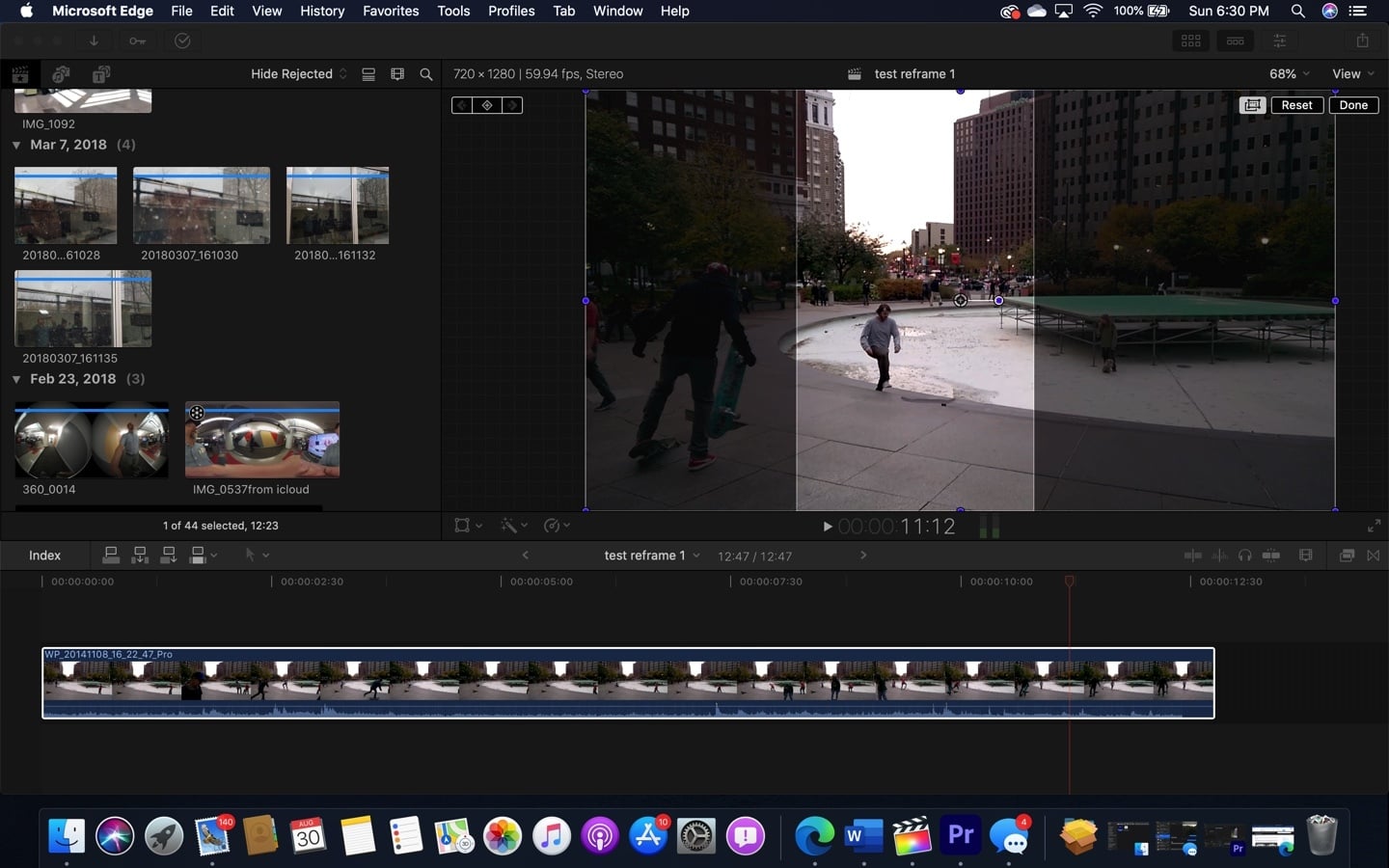
Final Cut Pro remains the primary choice for editors who need speed. Its magnetic timeline is a departure from the traditional tracks found in Premiere, but once you master it, it is arguably faster for narrative work. In 2026, its Apple Silicon optimization is flawless, utilizing the Media Engine on M4 and M5 chips to provide near-instant background rendering for ProRes support.
Pros
- Blistering fast render speeds on Mac hardware.
- One-time purchase model.
- Intuitive "Magnetic Timeline" simplifies complex shifts in the edit.
Cons
- Only available on macOS.
- The trackless approach can be frustrating for editors used to older systems.
iMovie
For those just starting, iMovie is still the best free video editing software for beginners on the Mac. It provides a simplified version of the Final Cut logic, making it a perfect stepping stone. While it lacks multi-camera editing and advanced color wheels, it is perfect for 4K home movies and simple YouTube vlogs.
Content Creators & YouTube: Balancing Speed and Style
The needs of a YouTuber are different from a film editor. You need libraries of assets, fast auto-captioning, and integrated social media export presets. This is where CyberLink PowerDirector 365 excels as the best video editing software for youtube.
CyberLink PowerDirector 365
PowerDirector has managed to squeeze professional features into a package that doesn't feel intimidating. For 2026, it has introduced a suite of AI tools that can automatically identify the most engaging parts of your footage, essentially creating a rough cut for you. It remains the best video editing software for 4k content among creators who want high turnover without 10-hour editing sessions.
Pros
- Faster rendering than almost any other consumer-grade software.
- Massive library of royalty-free stock media libraries.
- Excellent support for 360-degree and vertical video.
Cons
- The interface can feel a bit cluttered with "upsell" notifications.
- Not suited for high-end film color grading.

Wondershare Filmora
Filmora has solidified its position as the best video editing software for beginners who want a "drag and drop" experience. It mimics the ease of mobile apps but offers the precision of a desktop environment. Its AI-driven smart cutout tool is fantastic for creators who don't have access to a green screen but want to swap backgrounds.
Mobile-First & Social Media: The Rise of Vertical Video
With the market for AI editing tools projected to hit $9.3 billion by 2030, Nowhere is this more apparent than in vertical video apps. Social media creators are looking for the best video editing apps for social media that live where the content is consumed.
CapCut and Microsoft Clipchamp
CapCut has become a cultural phenomenon by offering templates that go viral instantly. However, as we move through 2026, professional creators are looking at the legal and privacy status of their tools more closely. For those on Windows, Microsoft Clipchamp has become a powerful alternative, integrated directly into the OS with high-quality auto-captioning and text-to-speech tools.

Pros (Clipchamp):
- Free and built into Windows 11/12.
- Excellent AI-driven voiceovers.
- Direct export to TikTok and Instagram.
Cons (Clipchamp):
- Professional features like 10-bit color support are missing.
- Limited to relatively simple timelines.
Technical Buyer’s Matrix: Hardware and Cost of Ownership
To choose the best professional video editing software 2026, you must look at the long-term impact on your wallet and your hardware. We’ve broken down the specifications and the Total Cost of Ownership (TCO) over five years.
Table 1: Technical Specifications Comparison
| Software | Max Resolution | GPU Acceleration | Best OS | Top Feature |
|---|---|---|---|---|
| Premiere Pro | 8K+ | Dual GPU Support | Windows/Mac | Text-Based Editing |
| DaVinci Resolve | 8K+ (Studio) | Excellent | Windows/Linux | Color Grading |
| Final Cut Pro | 8K | Apple Silicon Opt. | Mac | Magnetic Timeline |
| PowerDirector | 4K/8K | Mid-Range Opt. | Windows/Mac | AI Speed Tools |
| Filmora | 4K | Basic | Windows/Mac | Template Library |
Table 2: 5-Year Total Cost of Ownership (TCO)
| Software | Pricing Model | 5-Year Estimated Cost | Value Rating |
|---|---|---|---|
| Adobe Premiere Pro | Subscription | ~$1,300+ | Low (Expensive) |
| DaVinci Resolve | One-time Fee | $295 | High (Excellent) |
| Final Cut Pro | One-time Fee | $299 | High (Excellent) |
| PowerDirector 365 | Subscription | ~$350 | Medium |
| CapCut | Free/Freemium | $0 - $480 | High (Social Only) |
Hardware Requirements for 2026
When building a PC for video editing, the best video editing software will only perform as well as your components. We recommend at least 32GB of RAM for 4K workflows and a GPU with at least 8GB of VRAM to handle the neural masks and auto-captioning duties that are now standard. For Mac users, the M4 Pro chip is the current "sweet spot" for balancing cost and 8K ProRes support performance.
FAQ
Which is the no. 1 video editing software?
The answer depends on the user, but for general purposes, CyberLink PowerDirector 365 is currently ranked number one for its blend of speed and features. For professional studio environments, Adobe Premiere Pro remains the most widely used choice.
Is DaVinci Resolve really free?
Yes, the standard version of DaVinci Resolve is free and surprisingly powerful. It includes almost all the editing, color, and audio tools of the paid version, with limitations mainly on maximum resolution (limited to 4K), AI-based neural tools, and certain high-end plugins.
What do most YouTubers use to edit videos?
Most top-tier YouTubers use Adobe Premiere Pro or Final Cut Pro for high-production-value videos. However, for quick turnaround and high-volume content, many creators are switching to CyberLink PowerDirector or Filmora due to their built-in stock libraries and faster AI-assisted workflows.
Is Edits or CapCut better?
CapCut is generally considered superior for social media creators because of its vast library of trending music, filters, and templates. It is specifically designed for the TikTok and Reels ecosystem, whereas most traditional "edits" apps lack the same level of cloud-synced resources.
Is DaVinci better or CapCut?
They serve different purposes. DaVinci Resolve is a professional-grade cinema tool meant for high-end PCs. CapCut is a mobile-first social media tool. If you want to color grade a film, DaVinci is better; if you want to make a 15-second viral video with auto-captions on your phone, CapCut is the winner.
How much does DaVinci Resolve cost per month?
DaVinci Resolve does not have a monthly cost. The basic version is free, and the Studio version is a one-time purchase of $295, which includes all future updates, making it one of the most cost-effective professional tools on the market.
Choose Your Perfect Editor
The best video editing software for you is the one that fits your current hardware and your long-term goals. If you are a professional making a living through high-end client work, the investment in Adobe Premiere Pro or DaVinci Resolve is mandatory. The collaborative power and the precision of their color grading tools are unmatched.
For the vast majority of people—the small business owners, the aspiring YouTubers, and the family archivists—CyberLink PowerDirector 365 provides the most sensible path forward. It offers enough power to grow into without the steep entry price or the technical headaches of studio-grade software. No matter what you choose, ensure your rig has the GPU acceleration needed to keep up with the AI revolution that has officially taken over the editing suite in 2026.