Our Top Picks
- Best for Creators: Professional-grade 8K 360 capture in a tiny frame.
- Regulatory Hero: 249g weight skips FAA registration.
- Workflow King: Reframing in post-production simplifies complex shots.
The Antigravity A1 is a game-changer for creators, offering a revolutionary record first frame later drone workflow in a sub-250g package. This Antigravity A1 review dives into its 8K 360 drone camera performance and immersive Vision goggles, exploring how a dual-lens 1/1.28-inch sensor system provides significant flexibility for professional cinematography by allowing you to capture an entire environment and reframe shots using Antigravity Studio software.
Regulatory Freedom: The Sub-250g Edge
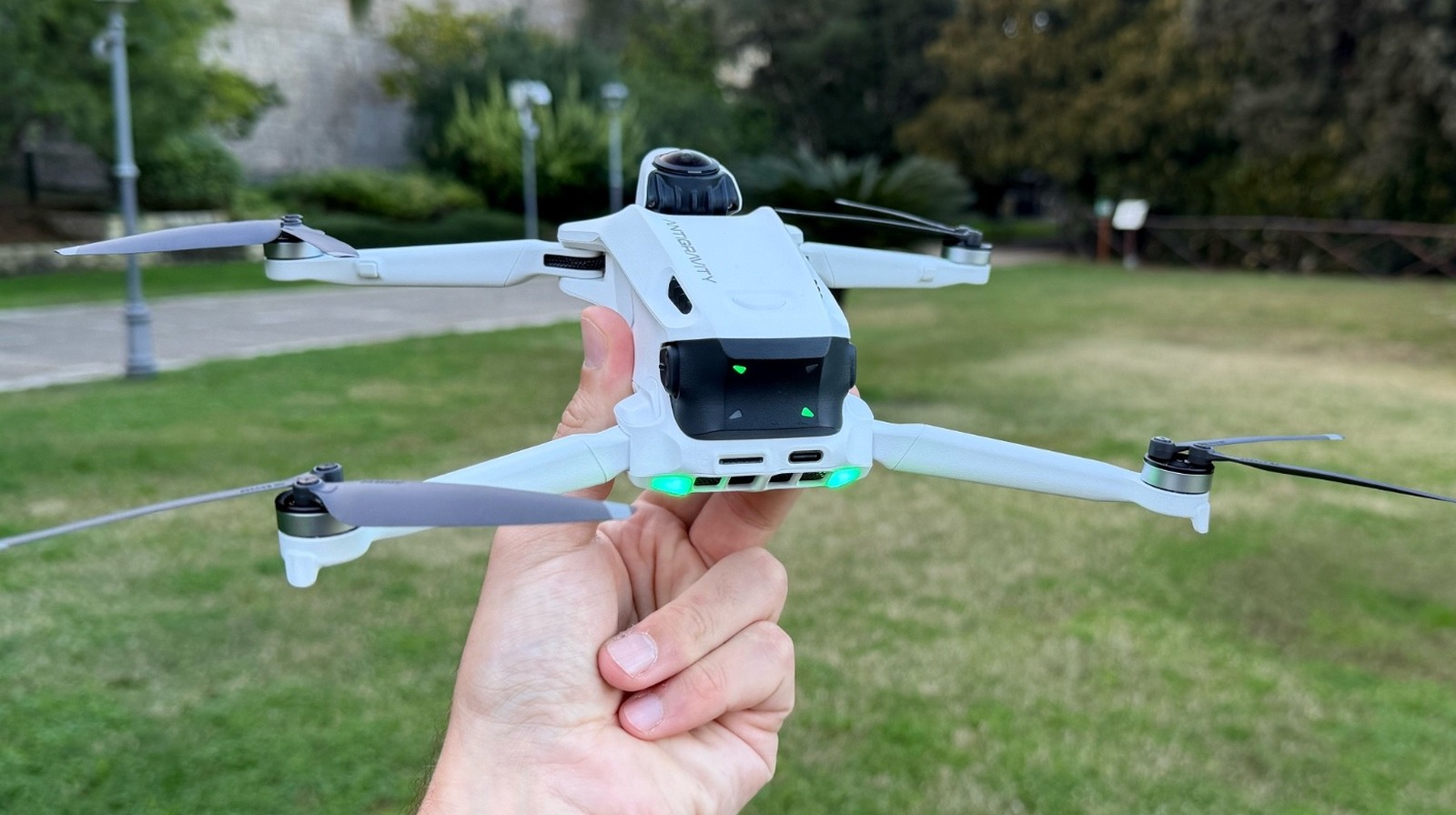
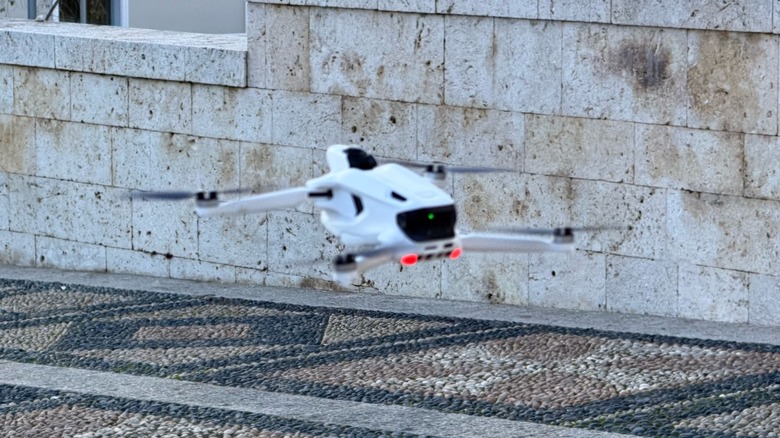
For many aerial photographers, the biggest hurdle isn't the price—it is the paperwork. The Antigravity A1 addresses this head-on with a design that prioritizes weight without sacrificing imaging power. Equipped with its standard flight battery, the Antigravity A1 has a takeoff weight of 249 grams, keeping it below the weight threshold that typically requires a drone license or FAA registration for recreational flight in many jurisdictions.
This ultralight quadcopter profile is a massive win for travel enthusiasts. Whether you are hiking through national parks or navigating international airspace, the lack of Remote ID compliance requirements for recreational users in this weight class makes it a frictionless tool for spontaneous shooting. It fits into a jacket pocket, yet it maintains the structural integrity needed to house a sophisticated 360-degree imaging array.
Beyond the legal benefits, the portability of the A1 changes how we think about packing gear. As an editor specializing in camera equipment, I often have to choose between a dedicated cinema drone and a smaller drone for scouting. The Antigravity A1 effectively bridges that gap. It is light enough to carry on every shoot, ensuring you never miss a moment because your heavy gear was back at the hotel.
Imaging Excellence: Dual Sensors & The 8K Reality
At the heart of the Antigravity A1 review for professional content creators is the dual-lens system. Most compact drones utilize a single sensor pointed forward, but the A1 employs two 1/1.28-inch CMOS sensor units mounted back-to-back. This setup allows the drone to record 360-degree video at up to 8K resolution at 30 frames per second, providing a spherical canvas that covers every angle of your flight path.
However, we need to talk about the resolution reality. In the world of 360-degree imaging, 8K sounds like overkill until you realize that you are only ever looking at a portion of that sphere at once.
The Resolution Reality Check: While the drone records in 8K, your final exported 16:9 video—once reframed—will typically have an effective resolution between 1080p and 2.7K. This is plenty for social media and YouTube, but it means you shouldn't expect the same pixel density as a dedicated 8K prime lens on a full-frame sensor.
For those who need higher frame rates, the drone supports 4K at 100fps, which is perfect for capturing high-speed action or creating buttery-smooth slow-motion sequences. The 1/1.28-inch CMOS sensor size is particularly impressive here, offering better dynamic range and low-light performance than the 1/2.3-inch sensors found in many competitors. Whether you are shooting into the sun or during the blue hour, the cinematography automation built into the image processor handles exposure transitions with professional grace.
Workflow: Record First, Frame Later
The most significant shift the A1 brings to the industry is the record first frame later drone workflow guide. In traditional drone flight, you have to be a pilot and a cinematographer simultaneously—controlling the flight path while keeping your subject perfectly framed in a narrow field of view. One wrong tilt of the gimbal and the shot is ruined.
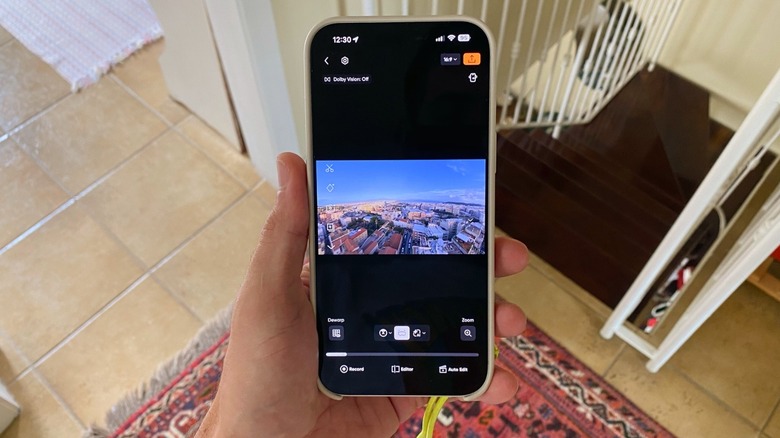
With the Antigravity A1, you simply fly. Since the camera is capturing everything in 360 degrees, the pressure to frame perfectly during the flight disappears. Once you land, you use the Antigravity Studio software or the mobile app to decide where the camera should point. You can create tracking shots, pans, and even tiny-planet effects from a single flight path. This editing 8K 360 video in the Antigravity app experience is intuitive, allowing you to place keyframes and let the software handle the smooth transitions between them.
This post-production reframing capability is a safety feature in disguise. Because you don't need to look at your screen to frame the shot, you can focus entirely on the drone's position in space and the surrounding obstacles. It democratizes high-end cinematography, allowing creators who might not have years of dual-stick flight experience to produce content that looks like it was shot by a professional two-person crew (pilot and camera op).
Flight Control: Vision Goggles & The Grip
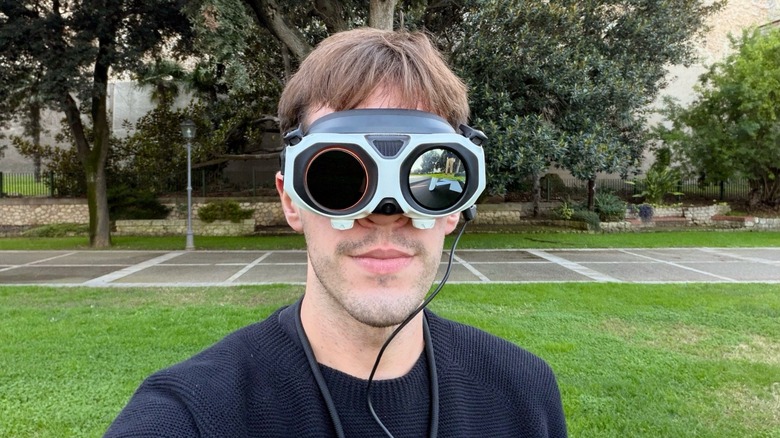
Piloting the A1 is an immersive FPV (First Person View) experience. Instead of a traditional RC transmitter, you use the Antigravity Vision goggles FPV system paired with the motion-sensing Grip controller. The goggles are a technical marvel, featuring dual 1-inch Micro-OLED displays that provide vibrant colors and deep blacks, ensuring you can see every detail of your flight environment.
The Antigravity Vision goggles comfort and adjustable diopters make them accessible for those who wear glasses, a detail often overlooked by other manufacturers. But the real magic happens when you enable Head-tracking technology. By moving your head, you can look around the 360-degree sphere independently of the drone's direction of travel. This is powered by the Omnilink 360 transmission system, which maintains a stable link even in complex environments.
The Grip controller functions more like a flight joystick than a gamepad. It uses motion sensors to translate your hand movements into drone maneuvers. Tilting your wrist banks the drone, while a trigger controls acceleration. While there is a slight learning curve compared to traditional sticks, the intuition it offers for cinematic movements is unparalleled. To keep things safe, the drone includes smart obstacle avoidance sensors that prevent the A1 from colliding with trees or walls, even when the pilot is fully immersed in the goggles.
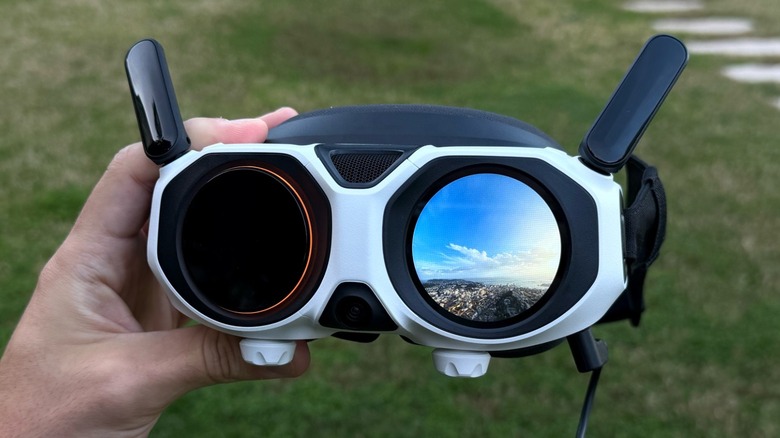
Another standout feature is the external display on the goggles. This allows bystanders or clients to see what you are seeing without needing a second set of goggles. It turns a solitary flight experience into a collaborative creative process.
Practicality: Battery, Charging, and Latency
When it comes to real-world usage, the Antigravity A1 flight time and battery management are surprisingly robust for a drone this size. The drone provides a maximum flight time of up to 40 minutes, though in my testing with moderate wind, I found 35-39 minutes to be the more realistic expectation. The video transmission range of approximately 6.2 miles in FCC environments means you can explore vast landscapes without fear of losing the signal.
One caveat for professional racers: the A1 is a cinematic tool, not a racing drone. The video latency hovers around 100ms+, which is fine for smooth aerial photography but too slow for high-speed proximity flying through tight gaps.
Charging is efficient, with a 58-minute fast charging time for a full battery, meaning you can get back in the air quickly with a few spare packs. When deciding which package to buy, the Antigravity A1 Infinity bundle vs standard comparison reveals a clear winner for professionals.
| Feature | Standard Package | Infinity Bundle |
|---|---|---|
| Batteries Included | 1 Standard Battery | 3 Intelligent Flight Batteries |
| Charging Hub | No (Single cable) | Two-Way Fast Charging Hub |
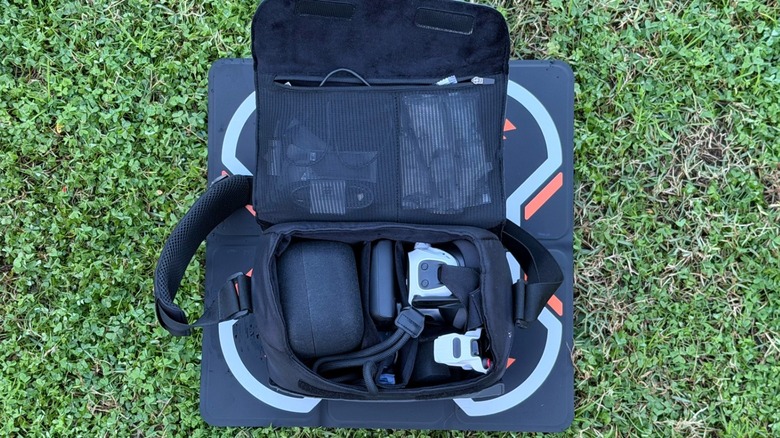
| Storage | Basic soft pouch | Hard-shell carrying case |
| Filters | None | ND Filter Set (ND8/16/32) |
| Props | 1 Spare set | 3 Spare sets + Prop guards |
FAQ
Is the Antigravity A1 worth the price?
For creators who value the record first frame later workflow and the freedom of a sub-250g drone, the A1 offers immense value. It replaces both a traditional drone and a 360 camera, streamlining your gear bag and your creative process. However, if you only need traditional forward-facing 4K footage, a standard DJI Mini might be more cost-effective.
How long does the Antigravity A1 battery last on a single charge?
The Antigravity A1 battery management system allows for a maximum flight time of 40 minutes under ideal conditions. In real-world creative use—which often involves varying speeds and constant gimbal/sensor processing—you can reliably expect 34 to 39 minutes of air time.
What are the pros and cons of the Antigravity A1?
The pros include the exceptional 8K 360 drone camera performance, the legal freedom of the 249g weight, and the immersive Micro-OLED goggles. The cons are primarily the 100ms+ latency, which isn't suitable for FPV racing, and the fact that 8K 360 resolution results in a lower effective resolution once reframed to standard video formats.
Is the Antigravity A1 portable enough for travel?
Yes, portability is one of its strongest selling points. At 249g and with a foldable design, it is one of the most travel-friendly professional imaging tools on the market. It easily fits into a small camera insert or even a large jacket pocket, making it ideal for backpacking and international travel.
Does the Antigravity A1 include a warranty?
Yes, Antigravity typically includes a one-year limited warranty covering manufacturing defects. They also offer an optional extended protection plan that covers accidental damage, including water damage and collisions, which is highly recommended for FPV pilots.
How long does it take to fully recharge the Antigravity A1?
Using a standard fast charger, a single battery takes approximately 58 minutes to reach 100%. If you are using the charging hub included in the Infinity bundle, you can manage multiple batteries efficiently to ensure you have a continuous workflow in the field.