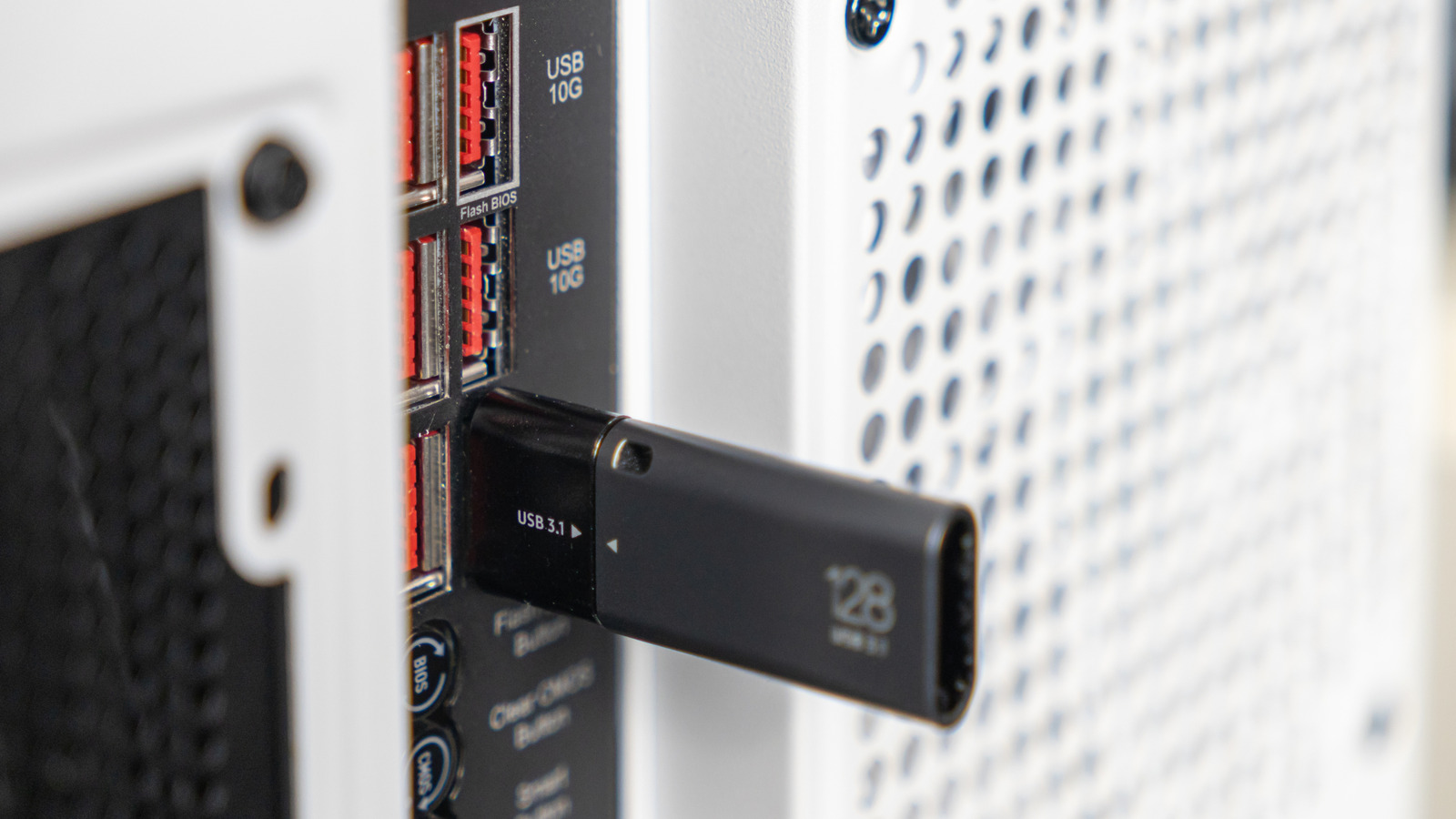
Our Top Picks
The best cool USB gadgets for 2026 prioritize high bandwidth and ergonomic automation. We recommend the Elgato Stream Deck Pedal for its ability to provide hands-free macros that streamline professional workflows without breaking your concentration. For power users, the Satechi Dual Dock Stand stands out by combining high power thunderbolt 5 docking stations for multiple monitors with integrated NVMe storage slots to eliminate desk clutter while maximizing data throughput.
We are officially living in the era of high-performance connectivity where the distinction between internal and external hardware is blurring. Modern cool USB gadgets include programmable foot pedals for macros and high-power Thunderbolt 5 docking stations that support multiple 6K monitors and provide integrated storage, transforming the humble port into a professional-grade command center.
| Gadget Category | Primary Interface | Key Benefit | Technical Specification |
|---|---|---|---|
| Thunderbolt 5 Dock | USB-C / TB5 | Extreme Multi-Display | 80Gbps - 120Gbps Bandwidth |
| Macro Foot Pedal | USB-A / USB-C | Hands-Free Control | 3-Way Multi-Action Customization |
| Monitor Light Bar | USB-A / USB-C | Reduced Eye Strain | 1,000 Lux / Auto-Dimming |
| Creative Console | USB-C | Tactile Software Control | Native API Integration (Adobe/Figma) |
| Hardware Jiggler | USB-A / USB-C | System Persistence | HID Driverless Compatibility |
The Powerhouse: Thunderbolt 5 Docking Stations
For years, we have been bumping up against the 40Gbps ceiling of Thunderbolt 4. While that was sufficient for a single 4K monitor and some external storage, the demands of digital content creation in 2026 have outpaced it. Enter Thunderbolt 5. These new high power thunderbolt 5 docking stations for multiple monitors represent an 80Gbps bidirectional leap in connectivity. When you need extra overhead for high-refresh displays, they can even provide a bandwidth boost up to 120Gbps.
This shift is more than just a speed bump; it is a necessity for the modern workstation. Research indicates that approximately 72% of laptops shipped in 2024 featured limited port configurations, which has driven a massive increase in consumer dependency on external hubs. By utilizing a Thunderbolt 5 dock, you are not just adding ports; you are adding a backbone that can handle 240W Power Delivery standard charging alongside integrated M.2 NVMe storage enclosures. This allows you to offload high-resolution video files at 10Gbps or higher while simultaneously driving three 6K displays.
Pros
- Eliminates the bottleneck for high-speed external SSDs and dual 8K monitor setups.
- Provides a single-cable solution for power, data, and video through USB-C connectivity.
- Often includes integrated cooling for sustained high-speed data transfer.
Cons
- Higher entry price point compared to standard USB-C hubs.
- Requires a host device with Thunderbolt 5 or USB4 support to reach peak speeds.
Compatibility Note: While Thunderbolt 5 docks are backwards compatible with Thunderbolt 4 and USB4 ports, they will downshift to the maximum speed of the host device. To get the full 120Gbps boost, ensure your laptop or desktop motherboard specifically lists Thunderbolt 5 support.
Hands-Free Efficiency: Programmable Macro Foot Pedals
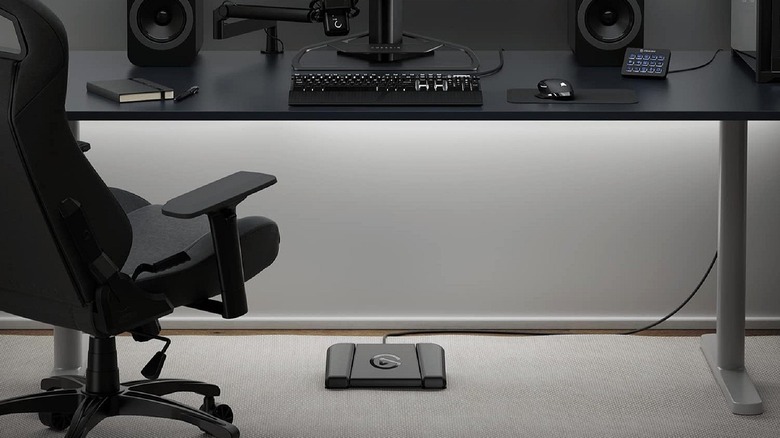
One of the most underrated ways to improve a work-from-home setup is to move some of your most repetitive tasks from your hands to your feet. While gaming peripherals often get the spotlight, the best usb programmable foot pedals for office productivity are becoming essential tools for coders, video editors, and even spreadsheet power users. Devices like the Elgato Stream Deck Pedal allow for macro customization that goes far beyond just "gaming."
Imagine you are in a deep focus session and a family member walks into your office. Instead of fumbling for a mute button or a camera toggle, a quick tap of your foot handles it instantly. For digital content creation, these pedals can be mapped to trigger complex multi-step actions in Premiere Pro or DaVinci Resolve, such as "Cut, Ripple Delete, and Play." By offloading these micro-actions, you maintain your manual dexterity for more precise tasks.
Pros
- Reduces repetitive strain on fingers by offloading common keystrokes.
- Works via plug-and-play peripherals standards with robust software suites.
- Heavy-duty build quality ensures the pedal stays in place under your desk.
Cons
- Requires a bit of a learning curve to build muscle memory.
- Takes up a small amount of floor space under the workstation.
Environmental Ergonomics: Monitor Light Bars & Mug Warmers
Your desktop experience is defined as much by your physical comfort as it is by your processing power. Two cool USB gadgets that have moved from "nice-to-have" to "essential" in our testing are the high-end monitor light bar and the dedicated USB-C mug warmer.
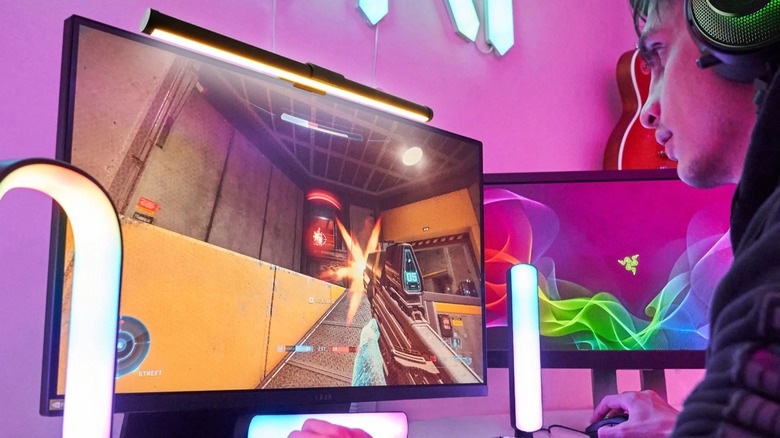
The latest adjustable monitor light bars for reducing eye strain, such as the BenQ ScreenBar Halo 2, provide up to 1,000 lux of brightness directly onto your workspace. Unlike a traditional desk lamp, these bars use an asymmetrical optical design that illuminates the desk without casting a single glare onto the screen. This is a game-changer for reducing eye fatigue during long evening sessions.
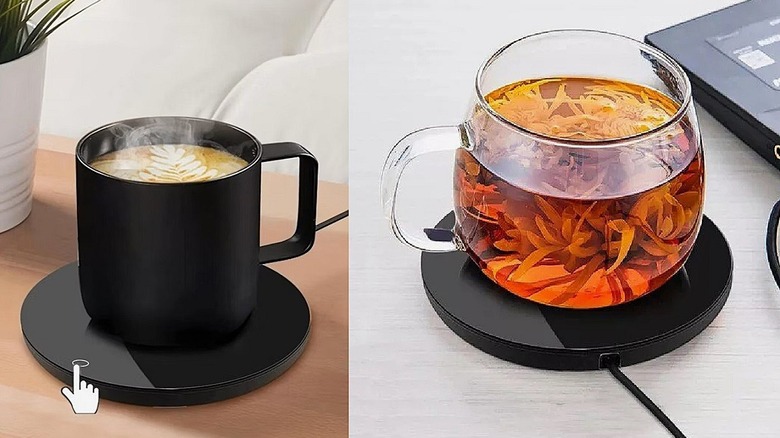
On the other side of the desk, thermal regulation for your beverage has finally caught up to the USB-C era. Older USB-A warmers were notoriously weak, struggling to keep a drink lukewarm. However, portable usb powered mug warmers for desk use that leverage the Power Delivery standard can now pull 15W to 20W of power. This is enough to maintain a consistent 130°F to 150°F temperature for your coffee, ensuring it never goes cold during a long conference call.
Pros
- Monitor bars save desk real estate by mounting directly to the display.
- USB-C mug warmers eliminate the need for an extra bulky AC wall adapter.
- Improves overall ergonomic workspace health by managing ambient desk lighting.
Cons
- High-end light bars can be expensive.
- Mug warmers require a dedicated high-power port (standard 5V/0.5A ports won't suffice).
Stealth Productivity: Undetectable Hardware Mouse Jigglers
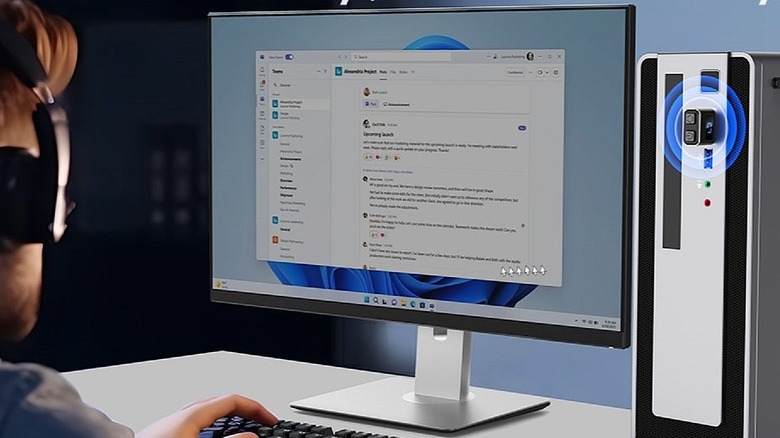
As remote work has become the norm, we have seen a rise in the need for tools that maintain system persistence. Whether you are running a four-hour video render or a massive data compilation, the last thing you want is for your system to enter sleep mode because of an aggressive IT policy. This is where undetectable hardware mouse jigglers for remote work come into play.
Unlike software-based solutions that can be easily flagged by corporate security, a hardware jiggler like the Meatanty USB-C model functions at the hardware level. The system recognizes it as standard plug-and-play peripherals—specifically, an ordinary HID (Human Interface Device) optical mouse. It generates tiny, microscopic cursor movements that are invisible to the eye but keep the system active. It is a vital tool for workflow optimization when you need your machine to stay awake during long, automated processes.
Pros
- Zero software installation required, making it truly plug-and-play.
- Compatible with any operating system, including locked-down corporate laptops.
- Extremely compact and discreet, often looking just like a tiny receiver.
Cons
- Can lead to security risks if the machine is left unattended in a public space.
- Does not replace actual productivity; it only prevents sleep and idle status.
Compatibility Note: Always ensure your hardware jiggler is set to a "random" movement mode. Some older models use a fixed pattern that could theoretically be detected by advanced behavioral analytics, though this is rare for hardware-based HID devices.
Precise Control: USB Creative Consoles
For professionals, the transition from mouse-and-keyboard to tactile control is the ultimate upgrade. The rise of usb creative consoles for adobe software shortcuts has revolutionized how we interact with creative suites. Devices like the Logitech MX Creative Console or the Loupedeck Live provide tactile dials and LCD keys that offer immediate feedback for scrubbing through video timelines, adjusting brush sizes in Photoshop, or fine-tuning exposure in Lightroom.
The beauty of these USB desktop accessories is their native integration. In 2026, most major creative applications feature direct APIs for these consoles, meaning you don't have to spend hours mapping keys. Interestingly, as the market for specialized input grows, we are seeing a shift in overall peripheral trends. For instance, wireless gaming mice accounted for 45% of total global gaming mouse sales in 2023, showing that users are increasingly willing to invest in premium, specialized input devices for their desktop setup.
Pros
- Dramatically speeds up digital content creation workflows.
- Tactile dials provide much higher precision than a mouse scroll wheel.
- Customizable LCD keys can change their function based on the active application.
Cons
- Requires desk space near your primary keyboard.
- Best suited for specific creative software; less useful for general office tasks.
Hardware Maintenance and Beyond
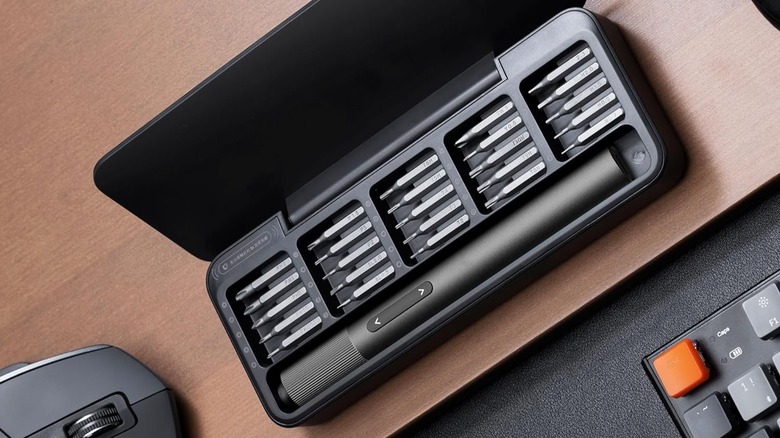
When we think about cool USB gadgets, we often focus on what stays plugged in. However, the workstation experience also includes the maintenance of your hardware. A USB-C rechargeable electric screwdriver is an essential tool for the modern PC builder or professional who frequently swaps out components. These compact drivers offer magnetic bit storage and enough torque for precision electronics without the risk of over-tightening.
As we see more devices cluttering our desks, remember that in the United States, over 85% of households own at least three USB-powered devices, and power users often have seven or more. Managing this ecosystem requires a balance of high-bandwidth connectivity and smart, ergonomic USB powered office gadgets.
FAQ
What are some useful USB gadgets for an office desk?
Beyond the standard hub, highly useful gadgets include monitor light bars for eye health, programmable macro pads for workflow automation, and high-wattage mug warmers. These tools address the physical environment and task efficiency rather than just adding extra ports.
Do USB gadgets drain a laptop battery quickly?
It depends on the gadget's power draw. A mouse jiggler or a basic keyboard uses negligible power (under 0.5W). However, high-power items like a 15W mug warmer or an unpowered Thunderbolt dock driving multiple monitors can significantly impact battery life, so they are best used while the laptop is connected to a power source.
What are the best USB-C gadgets for productivity?
For pure productivity, we recommend a creative console with tactile dials for software control and a programmable foot pedal. These allow for multi-tasking and faster navigation in complex software suites like Adobe Creative Cloud or various IDEs.
Are USB desktop fans and heaters safe to use?
USB-powered fans are generally very safe as they use low-voltage 5V motors. USB heaters, such as mug warmers, are safe as long as they are from reputable brands with auto-shutoff features. Avoid plugging high-draw heating elements into low-quality unpowered hubs to prevent overheating the hub's internal circuitry.
What are some unique USB gift ideas for tech lovers?
A USB-C rechargeable electric screwdriver set is a fantastic gift for hardware enthusiasts. Other unique options include high-end creative consoles for artists or a Thunderbolt 5 docking station for the tech user who already has multiple monitors but struggles with cable management.
The shift toward a more integrated, high-bandwidth desktop is inevitable. Whether you are adding a foot pedal for efficiency or a Thunderbolt 5 dock for raw power, these gadgets are about making your workspace work for you. What is the one USB accessory you can’t live without? Let us know how you’ve optimized your setup.