Our Top Picks
- Best Ecosystem Bridge: Aothey MagSafe Metal Rings — The most affordable way to unlock magnetic accessories for any Android device.
- Top Power Choice: Ugreen Nexode 10K Power Bank — Exceptional portable energy density with high-speed USB Power Delivery support.
- Best for Productivity: Acer 3-in-1 USB-C OTG Card Reader — A vital tool for external storage expansion and mobile photography workflows.
- Top Item Tracker: Samsung SmartTag 2 (for Galaxy) / Tile Mate (Universal) — Reliable peace of mind through vast item finding networks.
- Best Grip: PopSockets MagSafe Grip — Essential for smartphone ergonomics on today’s increasingly large mobile screens.
The best budget Android accessories under $30 include MagSafe-compatible metal rings for magnetic attachments, ergonomic phone grips, and 10,000mAh portable power banks with USB PD support. Additionally, Bluetooth trackers like the Samsung SmartTag 2 or Tile Mate provide peace of mind, while USB-C OTG card readers offer easy external storage and peripheral connectivity for mobile productivity.
As a mobile editor, I’ve seen the smartphone market shift dramatically over the last few years. While flagship phones are getting more expensive, the market for high-quality budget Android accessories has exploded with innovation. In fact, the mid-range mobile accessory segment, which offers a balance of affordability and performance, held a dominant 46.28% share of the global market in 2025. This means you no longer have to pay a premium to get premium features. Whether you want to add magnetic charging to your Pixel or speed up your data transfers on a Galaxy, these must have Android accessories for under $30 deliver big upgrades without the sticker shock.
1. Bridging the Ecosystem: Aothey MagSafe Metal Rings
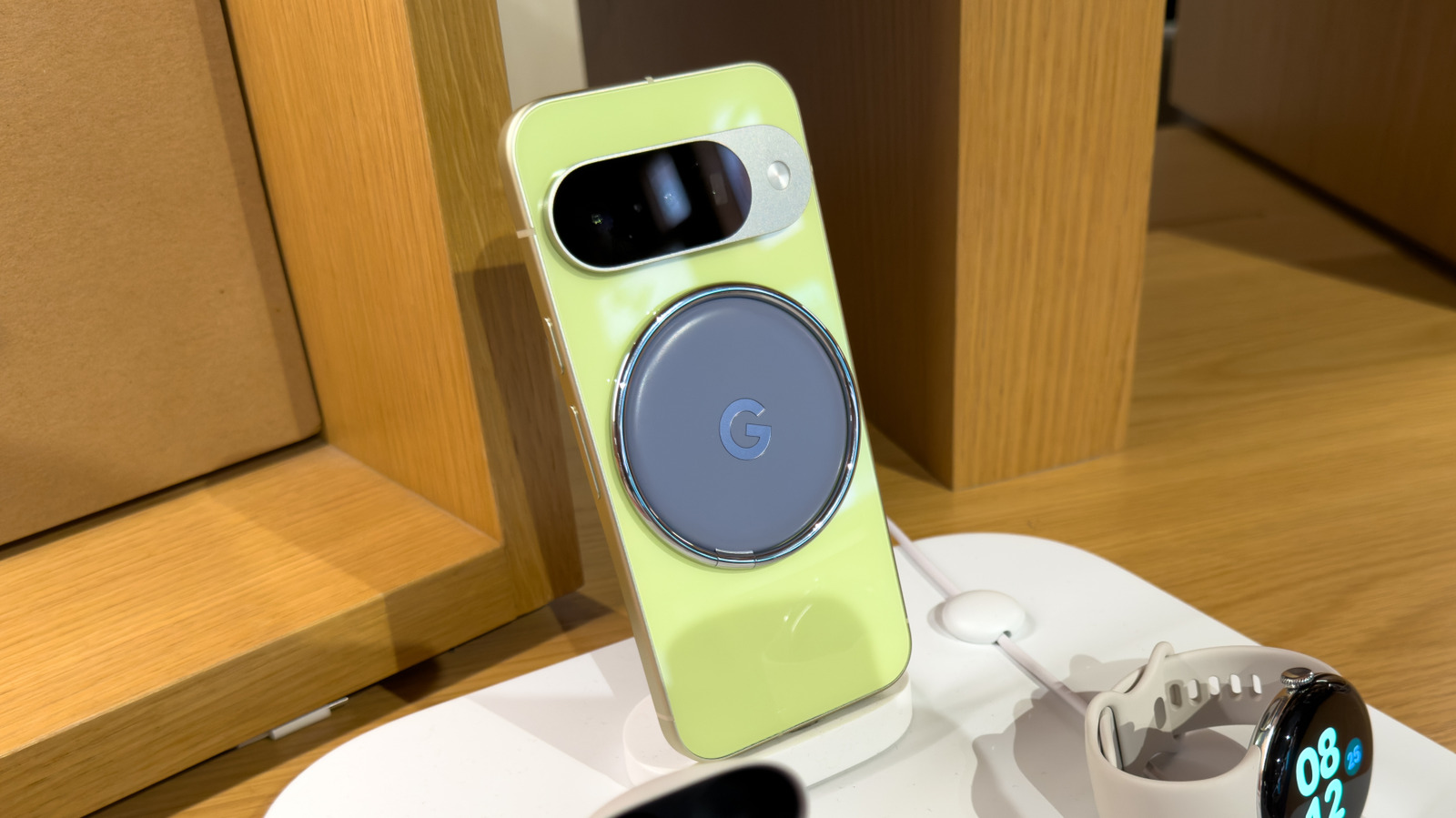
One of the biggest "iPhone envy" moments for Android users is MagSafe. That satisfying click of a magnetic wallet or charger is a genuine quality-of-life improvement. However, you don't need to switch teams or buy an expensive specialized case to get this functionality. Learning how to add MagSafe to Android phones cheap starts with a simple, thin metal ring.
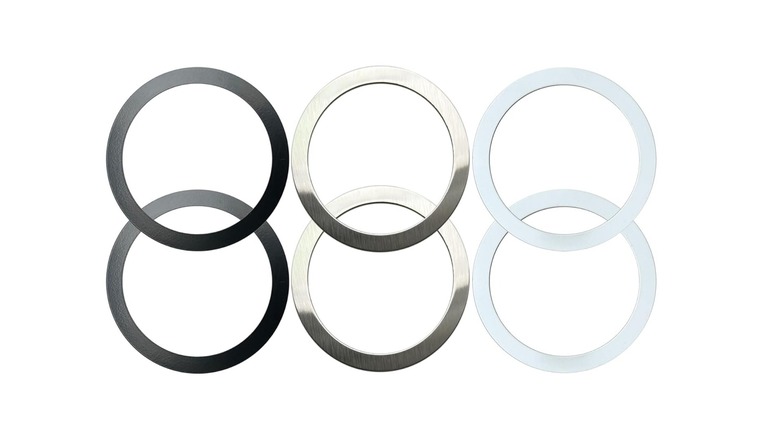
The Aothey Metal Ring set is a standout choice because it typically comes in a multi-pack for around $7. These are not magnets themselves, but rather ferromagnetic rings that allow MagSafe accessories to "stick" to your phone. The technical challenge here isn't the magnetism—it's the placement. To ensure you don't interfere with wireless charging, you must align the ring perfectly with your phone's internal wireless charging coils. Most kits include an alignment guide to help you find the "sweet spot" where power transfers most efficiently.
Material compatibility is the only real hurdle. These adhesive rings work beautifully on smooth polycarbonate materials or hard TPU cases. However, I always warn my readers to avoid using them on silicone or leather cases. The adhesive simply cannot bond effectively to those textured or oily surfaces, leading to the ring peeling off when you try to detach a strong magnetic accessory. Once installed on a compatible case, these rings open up a world of MagSafe accessories for Android that were previously off-limits.
2. Power on the Go: Ugreen Nexode 10K Power Bank
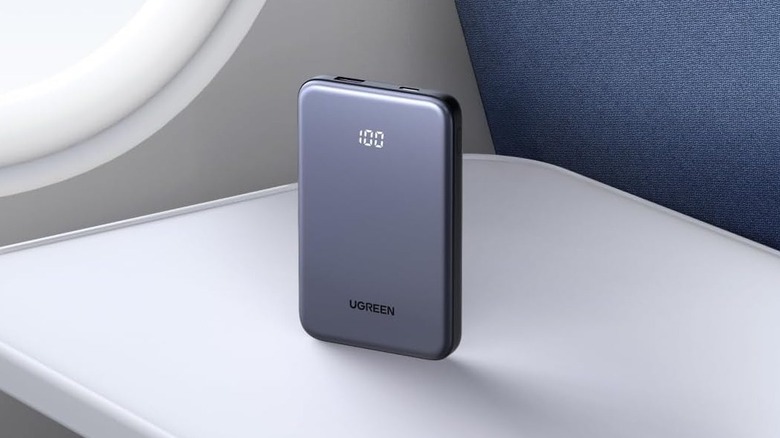
We have all been there: your battery hits 15% just as you’re navigating a new city or waiting for an important call. While most of us carry a cable, finding an outlet is a chore. This is where the Ugreen Nexode 10K Power Bank comes in as a top-tier example of budget Android accessories that don't compromise on tech.
When shopping for power, you need to look for USB Power Delivery (PD). This is the universal standard for fast charging. It is a significant market trend, as fast-charging cables accounted for approximately 58.7% of total phone charging cable market revenue in 2025 as high-speed power delivery became standard even for mid-range devices. The Nexode 10K supports 30W or 20W PD (depending on the specific model variant), which is enough to fast-charge almost any modern Android phone at its maximum intake speed.
One technical detail I always emphasize is the difference between marketed capacity and rated capacity. While this unit is marketed as 10,000mAh, the actual rated capacity (the energy it can actually deliver to your phone after conversion losses) is usually around 6,250mAh. That is still enough to charge a standard Galaxy S24 or Pixel 8 about 1.5 times. Its high portable energy density means it fits easily into a pocket or a small travel bag, making it one of the most travel-friendly electronics you can own.
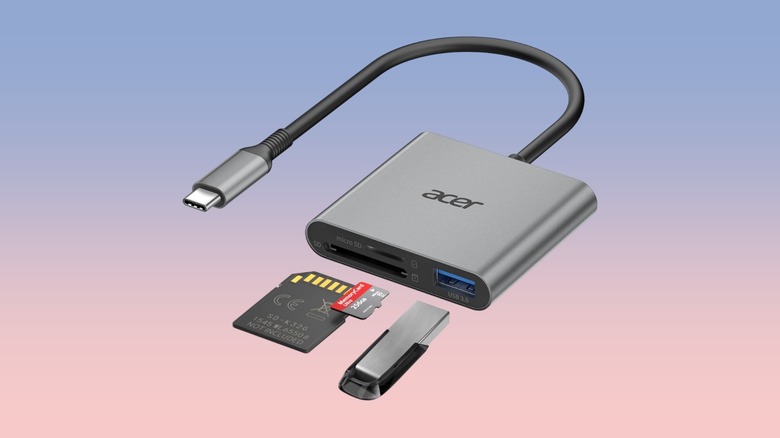
3. Storage & Productivity: Acer 3-in-1 USB-C OTG Card Reader
Even with cloud storage becoming the norm, there are times when you just need a physical connection. Whether you are a mobile photographer trying to move raw files from an SD card to your phone or a student needing to access files on a thumb drive, a USB-C OTG card reader is a productivity powerhouse.
The Acer 3-in-1 reader is a favorite because it leverages the USB 3.0 standard, supporting 5Gbps data transfer protocols. For context, that is fast enough to move a high-definition movie in seconds. Using a USB-C OTG card reader effectively turns your phone into a mini-computer. It supports microSD, full-sized SD cards, and even has a USB-A port for connecting older flash drives or even a wired mouse.
This is a vital solution for external storage expansion. Many modern Android phones have removed the microSD slot, leaving users stranded when their internal memory fills up. By carrying a small reader like the Acer, you can offload photos and videos on the fly, keeping your phone's internal storage lean and fast. It’s one of the best USB-C OTG card readers for Android because it’s rugged, compact, and requires no additional software or drivers to work.
4. Peace of Mind: Samsung SmartTag 2 vs. Tile Mate
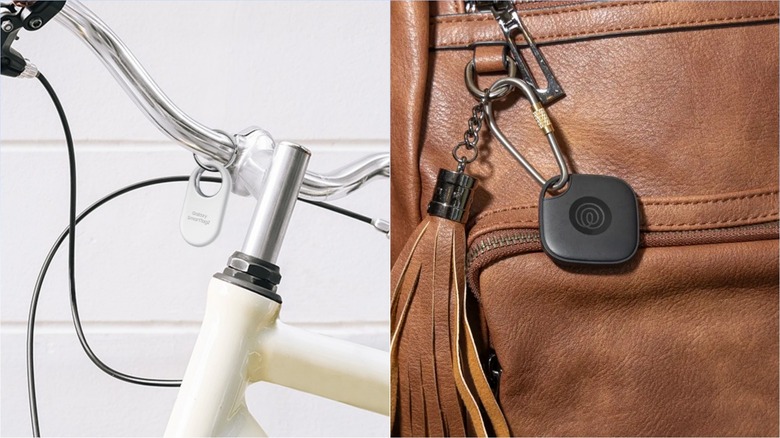
The "Find My" ecosystem is no longer just for Apple users. Android now has robust item finding networks that help you track down lost keys, wallets, or luggage. However, the best choice depends heavily on which phone you carry.
If you are a Samsung Galaxy user, the Samsung SmartTag 2 is the clear winner. It utilizes Ultra Wideband technology (UWB), which allows for "Point and Find" precision. Instead of just hearing a beep, your phone can literally point an arrow toward the tag's exact location. It also boasts an IP67 water resistance rating, meaning it can survive a drop in a puddle or a heavy rainstorm.
For everyone else—Pixel, Motorola, or OnePlus users—the Tile Mate is the gold standard for affordable Android trackers. While it lacks the UWB precision of the Samsung tag, it uses a massive community-based network to locate items. The Tile Mate is particularly impressive for its three-year non-replaceable battery and its IP68 rating, which is slightly better for dust and water protection than the SmartTag.
| Feature | Samsung SmartTag 2 | Tile Mate (2025) |
|---|---|---|
| Compatibility | Samsung Galaxy Only | Universal Android/iOS |
| Tracking Tech | Bluetooth + UWB | Bluetooth Only |
| Water Resistance | IP67 | IP68 |
| Battery Life | ~500 Days (Replaceable) | 3 Years (Non-replaceable) |
| Key Advantage | Precision Finding | Wide Compatibility |
Choosing between the Samsung SmartTag 2 vs Tile Mate for Android users often comes down to ecosystem lock-in. Samsung's network is massive because of the sheer number of Galaxy devices on the road, but Tile's cross-platform nature makes it a great gift or a flexible option if you might switch brands later. Both are incredible affordable Bluetooth trackers for non-samsung android phones and Galaxy devices alike.
5. Ergonomic Upgrade: PopSockets MagSafe Grip
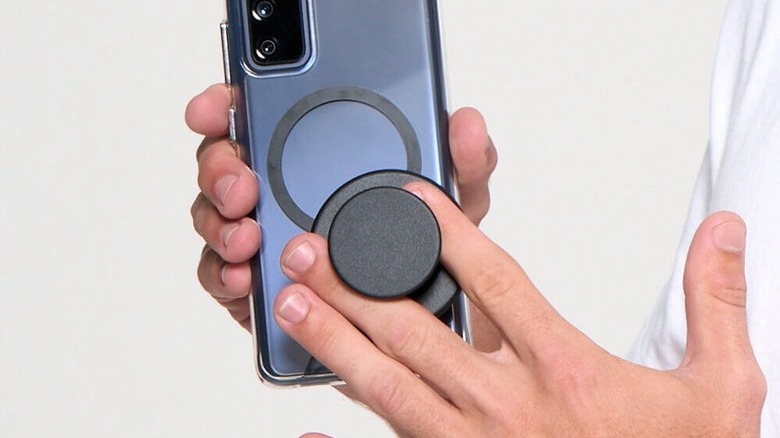
As phone screens push past the 6.7-inch mark, smartphone ergonomics have become a major concern. It is physically taxing to balance a large glass slab with one hand while typing or taking a selfie. This is where the PopSockets MagSafe Grip becomes more than just a fashion statement—it’s a physical necessity.
When paired with the Aothey rings mentioned earlier, this grip snaps onto the back of your Android phone with surprising force. The beauty of the MagSafe version is that it is removable. You can snap it on when you’re out taking photos and pop it off when you want to use a wireless charger or fit the phone into a slim car mount.
The grip significantly reduces the strain on your pinky finger (the famous "smartphone pinky") and provides a secure anchor point. For users with smaller hands using large devices like the S24 Ultra or the Pixel 8 Pro, it transforms the handling experience. It's one of those budget Android accessories that you don't realize you need until you try it, and suddenly, you can't imagine using your phone without it.
FAQ
What are the best affordable accessories for Android phones?
The best affordable options are those that add missing functionality, such as MagSafe adapters, high-speed PD power banks, and USB-C OTG card readers for storage. These items typically cost under $30 but provide daily utility.
Are cheap third-party Android chargers safe to use?
Generally, yes, provided you buy from reputable brands like Ugreen, Anker, or Acer. Look for certifications like UL listing or USB-IF certification. Avoid unbranded, ultra-cheap chargers found at gas stations, as they often lack the over-voltage protection required to keep your battery healthy.
What are the must-have budget accessories for Android users?
I consider a portable power bank and a screen protector to be the baseline. Beyond that, a magnetic ring adapter is the single best "feature-per-dollar" upgrade you can make in 2026.
Where can I find reliable budget Android car mounts?
Look for mounts that use the MagSafe standard. Even if your phone doesn't have it natively, once you add a metal ring, you can use magnetic car mounts from brands like LISEN or ESR, which are often available for under $20 on major retail sites.
Upgrading your mobile experience doesn't require a flagship budget. By focusing on smart, technical additions like USB Power Delivery and magnetic ecosystems, you can make a $300 phone feel like a $1,000 powerhouse. Before you buy, always check your specific phone model's compatibility, especially regarding wireless charging coil placement and OTG support.