Quick Facts
- Best Overall: ChatGPT remains the king of general-purpose utility with GPT-5 reasoning.
- Best for Creatives: Photomator offers 750+ RAW format support and professional machine learning tools.
- Best for Health: Foodllama leads in AI calorie tracker apps for iPhone recommendations through precise image recognition.
- Best for Research: Perplexity AI provides cited answers and contextual search for deep dives.
- Best for Growth: Headway provides document summarization and 15-minute micro-learning book summaries.
- Specialist Value: While ChatGPT captures 23% of downloads, specialized tools reduce task friction by up to 300%.
- The Bottom Line: Integrating specialized essential AI-powered iPhone apps alongside ChatGPT creates a more comprehensive mobile experience than relying on a single tool.
Best AI iPhone apps are evolving beyond simple chat interfaces. In 2026, the essential AI-powered iPhone apps stack combines ChatGPT's reasoning with niche specialists to handle everything from pro-level photography to precision health tracking. While ChatGPT is a versatile general-purpose assistant, specialized AI apps often provide superior functionality for niche tasks, ensuring you have the right tool for the specific job at hand.
The ChatGPT Hub: Beyond Simple Chat in 2026
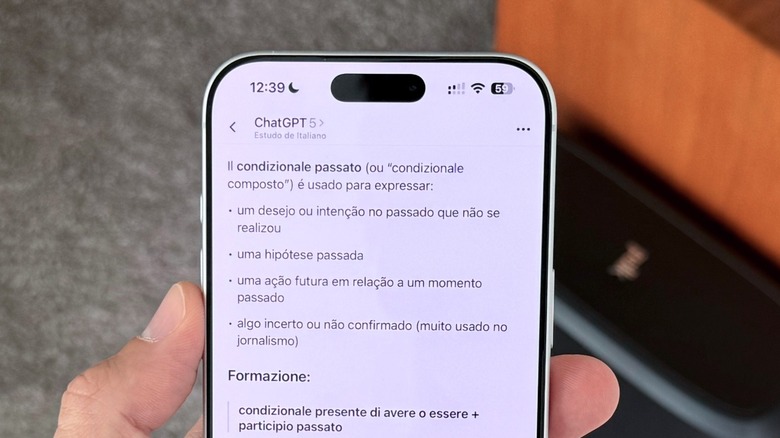
If you looked at my iPhone home screen in 2024, ChatGPT was a standalone icon. By 2026, it has become something closer to an operating system within an operating system. According to Apple’s annual rankings, ChatGPT became the most downloaded free iPhone app in the United States in 2025, a significant jump from its fourth-place position just a year prior.
This dominance is driven by the sheer scale of its user base. As of October 2025, the platform maintained approximately 769 million monthly active users worldwide, which is nearly five times more than any other competing AI application. For most of us, it is the first place we go for GPT-5 Reasoning or to use the Advanced Voice Mode for hands-free brainstorming during a morning commute.
However, the real magic in 2026 is how to use ChatGPT with Apple Intelligence on iPhone. Rather than opening the app for every query, the system-wide integration allows Siri to hand off complex requests to ChatGPT. Whether you need a 50-page document summarized or a custom Python script written on the fly, the collaboration between Apple's on-device privacy and ChatGPT's massive model creates a seamless workflow optimization. Despite this, it is worth noting that while ChatGPT accounted for roughly 23% of global generative AI app downloads, it doesn't always win when the task requires specialized visual or biological data.
Pro-Tip: Use the Action Button on your iPhone 17 Pro to trigger a specific ChatGPT shortcut that records your voice and automatically saves a summarized transcript to your Notes app.
AI Photo Editing: Why Photomator Beats Native Clean Up
As a mobile editor, I get asked daily if third-party AI photo editing apps for iPhone are still necessary now that Apple Intelligence has its own Clean Up tool. The answer is a resounding yes. While Apple's native features are great for removing a stray tourist from your vacation photo, Photomator has become the essential choice for anyone serious about visual productivity.
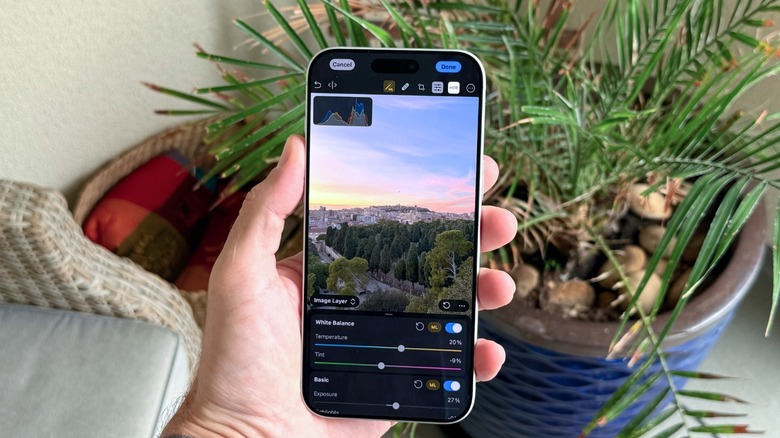
Photomator utilizes advanced machine learning to handle tasks that would usually require a desktop setup. It supports over 750 RAW formats, making it the perfect companion for the high-resolution sensors found on the latest iPhone models. When comparing ChatGPT with other AI apps for iPhone in the creative space, ChatGPT can tell you how to compose a photo, but Photomator can actually execute the pixel-level changes.
Its AI-driven features like Smart Deband and specialized denoise algorithms are lightyears ahead of standard filters. This is where workflow optimization truly shines. Instead of spending ten minutes manually adjusting shadows and highlights, the AI analyzes the dynamic range of the RAW file and applies corrections that preserve the natural skin tones and textures. It is easily one of the best AI photo editing apps for iPhone 2026 has to offer.
Health and Nutrition: Precision Tracking with Foodllama
If there is one area where general LLMs struggle, it is spatial awareness and nutritional precision. This is where Foodllama has carved out a niche as one of the best AI iPhone apps for wellness. Many people try to use ChatGPT for meal logging, but typing out "I ate a medium bowl of pasta" is prone to massive errors in calorie estimation.
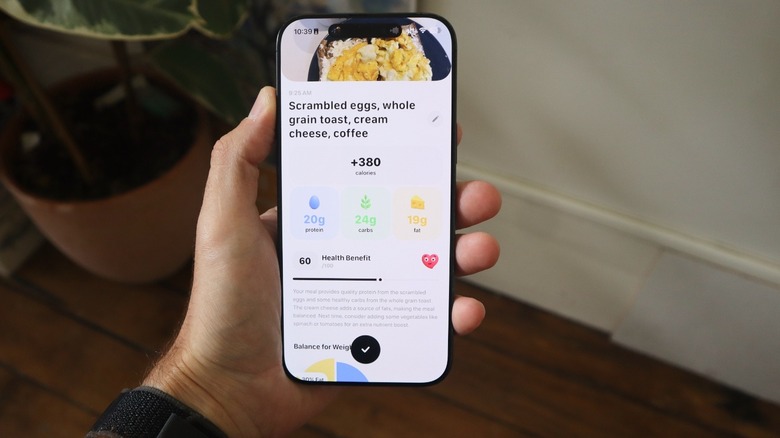
Foodllama uses a combination of computer vision and LiDAR data to calculate volume. To get the most out of it, I always recommend the 45-degree angle rule. By snapping a photo of your plate from a 45-degree angle, the AI can better calculate the depth and height of the food, leading to 95% recognition accuracy. This is a crucial feature because, as a University of Sydney study recently pointed out, human estimation of calorie intake is often off by as much as 30%.
When looking for AI calorie tracker apps for iPhone recommendations, look for those that integrate with Apple Health. Foodllama doesn't just track your lunch; it looks at your Gentler Streak data to see if you need more protein after a heavy workout. It turns meal logging from a chore into a three-second snapshot, drastically reducing the friction of maintaining a healthy lifestyle.
Research and Learning: Perplexity vs. Headway
For the deep-dive researchers and the lifelong learners, the current App Store subscriptions landscape offers two powerhouses that complement ChatGPT’s general knowledge.
Perplexity AI has established itself as one of the best AI search apps for iPhone for cited answers. While ChatGPT can sometimes hallucinate or provide vague responses, Perplexity functions more like a research assistant that shows its work. Every claim is backed by a link to a primary source, which is vital when you are doing professional research on the go. Its contextual search allows you to follow up on complex topics without losing the thread of the original query.
On the other hand, for those who struggle to find time to read entire non-fiction books, Headway is a game-changer for daily productivity. It uses AI to provide document summarization in the form of 15-minute micro-learning sessions.
| App | Best For | Key Feature |
|---|---|---|
| Perplexity AI | Academic & Pro Research | Real-time citations & source links |
| Headway | Personal Growth | AI-summarized book highlights |
| ChatGPT | General Inquiries | GPT-5 Reasoning & Voice Mode |
Using these essential AI-powered iPhone apps for daily productivity ensures that you are not just consuming information, but retaining the most important parts of it. Whether you are prepping for a meeting using Perplexity or catching up on the latest management theories via Headway during your commute, these tools offer a level of focus that a general chatbot lacks.
Conclusion: Your 20-Minute Daily AI Routine
By 2026, the goal of mobile technology is no longer to keep you glued to your screen, but to get you off it as quickly as possible. My personal routine involves a curated specialist stack that saves me at least 20 minutes of manual data entry and searching every single day.
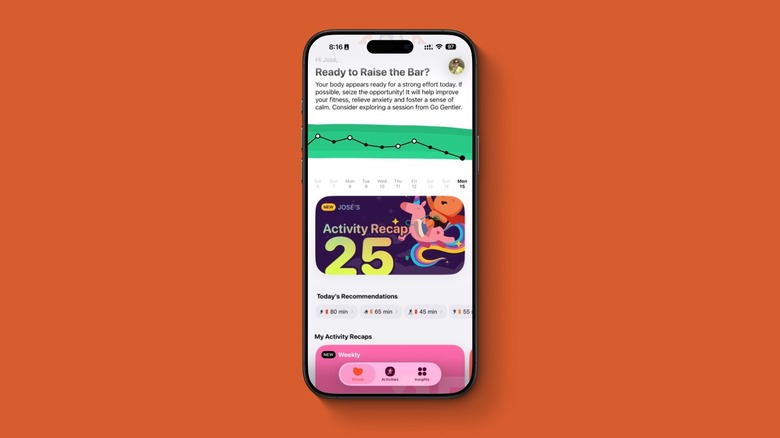
I start my morning with a quick check of Gentler Streak to see my readiness score. During breakfast, I use Foodllama to log my meal with a single photo. On the train, I listen to a Headway summary of a book I’ve been meaning to read. When I get to the office, I use Perplexity for quick fact-checking and ChatGPT for drafting long-form emails or summarizing complex PDFs. This combination of the best AI iPhone apps allows each tool to do what it does best, creating a high-efficiency environment that works for you, rather than the other way around.
FAQ
What are the best free AI apps for iPhone?
While many top-tier apps require subscriptions for full features, ChatGPT, Perplexity, and Photomator all offer robust free versions. ChatGPT provides access to its standard models at no cost, while Perplexity allows for a limited number of daily Pro searches. Photomator often allows for basic edits and a limited number of AI-powered exports before requiring a premium plan.
How does the built-in iPhone AI compare to third-party apps?
Apple Intelligence is designed for system-wide convenience and privacy, handling tasks like notification priority and basic image editing. However, third-party apps usually offer deeper technical features. For example, while Apple's native photos app can remove objects, Photomator provides professional-grade RAW editing tools that Apple's basic interface doesn't include.
Are AI photo editing apps for iPhone worth the subscription?
For casual users, the native Apple tools are likely enough. However, for content creators or photography enthusiasts, the subscription is worth it for features like AI-based upscale, denoising, and batch processing. These tools save hours of manual work and provide results that previously required a desktop computer.
What is the most popular AI app on the App Store currently?
ChatGPT currently holds the title of the most popular AI application. It accounted for roughly 40% of all in-app purchase revenue within the generative AI category in 2024 and continues to lead in total active users worldwide, making it the central hub for the majority of mobile AI users.
Can I use AI to help with writing tasks on my iPhone?
Yes, AI is incredibly effective for writing on iOS. ChatGPT is the industry standard for drafting emails, essays, and creative stories. Additionally, Apple Intelligence provides system-wide Writing Tools that can rewrite, proofread, and summarize text in almost any app, including Mail, Messages, and third-party notes apps.