Quick Facts
- Cost Savings: Choosing a DRAM-less SSD typically results in a 5% to 10% price reduction, saving builders roughly $15 to $35 per drive.
- Performance Reality: Modern NVMe drives utilize Host Memory Buffer technology to bridge the speed gap, handling 95% of standard user activities with no discernible lag.
- Gaming Suitability: These drives are excellent for gaming and PS5 storage expansion because gaming primarily relies on sequential reads where a dedicated cache matters less.
- Thermal Efficiency: Because they lack a dedicated DRAM chip, these drives consume less power and exhibit lower thermal footprints, making them ideal for thin laptops.
- Professional Limitation: They are generally not recommended for high-end video editing or heavy database workloads due to lower sustained write speeds and wear-leveling efficiency.
- Life Expectancy: Expect a slightly lower Terabytes Written rating compared to premium drives, though they remain more than durable enough for average daily use.
A DRAM-less SSD is a cost-effective choice for gaming and PS5 storage expansion. While it lacks a dedicated cache chip, modern NVMe drives utilize Host Memory Buffer technology to borrow a small portion of system RAM for data mapping. For gaming workloads, which primarily involve sequential reads, the performance difference compared to DRAM-equipped drives is minimal, and the lower power draw helps maintain cooler operating temperatures in consoles and laptops.
What is a DRAM-less SSD? The Index Analogy
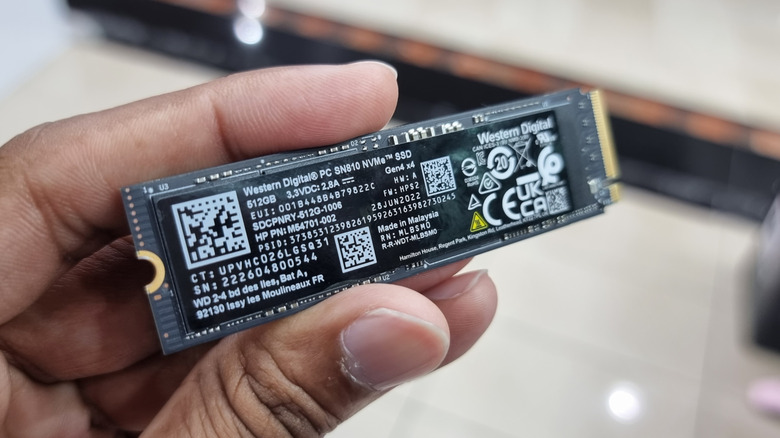
To understand why a DRAM-less SSD is cheaper, you first have to understand what it is missing. I often tell my readers to imagine the SSD as a massive library. The NAND flash memory represents the millions of books on the shelves. In a standard high-performance drive, there is a dedicated DRAM chip that acts like a highly efficient card catalog or index. This L2P mapping table tells the storage controller architecture exactly where every piece of data lives on those "shelves."
DRAM is incredibly fast—up to 100 times faster than the NAND flash memory where your files actually live. When your computer needs a file, the controller checks the DRAM-based index first. In a DRAM-less design, that dedicated "index chip" is removed to save money. Without it, the drive has to store the L2P mapping table directly on the slower NAND flash or find another way to track data.
This difference becomes most apparent when comparing sequential vs random workloads. If you are reading one giant file (sequential), the drive knows where to go. But if you are doing a hundred tiny tasks at once (random), the controller has to constantly check the index. If that index is on slow memory, your system feels sluggish. This is why, for years, enthusiasts avoided these drives like the orcs avoid sunlight. However, things have changed.
The HMB Revolution: How Host Memory Buffer Saves the Day
The reason we can even have a conversation about a budget pc build dram-less ssd vs dram ssd today is a feature called Host Memory Buffer technology. Introduced with the NVMe protocol version 1.2, HMB allows the SSD to "borrow" a tiny sliver of your system’s RAM—usually less than 100MB—to act as its index.
Since your system RAM is just as fast as the DRAM that used to be on the SSD, the performance penalty almost vanishes for the average user. Modern storage controllers are now designed to handle this hand-off with extreme efficiency. According to Western Digital research, this setup provides a 95% performance parity for daily desktop tasks like browsing the web, opening Word documents, or booting up Windows.
By using the NVMe protocol for error recovery and mapping, the drive ensures that even if there is a system crash, your data remains safe. It is an elegant solution to the cost problem: why pay for a dedicated memory chip on every single drive when you already have 16GB or 32GB of fast RAM sitting in your motherboard slots?
Performance Breakdown: Gaming vs. Content Creation
When deciding when to choose dram-less ssd over dram ssd, you have to look at how you actually use your computer. Most consumer activity happens in "bursts." You click a link, the drive works for half a second, and then it rests. In these scenarios, a DRAM-less drive is indistinguishable from a $200 flagship.
However, content creation workflows are a different beast entirely. If you are exporting a 4K video or moving 500GB of raw photos, you will eventually fill up the small high-speed "SLC cache" that these drives use. Once that cache is full and the controller has to manage massive data mapping without dedicated memory, the write speeds can drop significantly.
| Workload Type | DRAM-Equipped SSD | DRAM-less SSD (with HMB) | The Verdict |
|---|---|---|---|
| OS Booting | Exceptional | Very Good | Unnoticeable difference |
| Gaming Loads | Fast | Fast | Virtually identical |
| Video Editing | Consistent high speed | Slows down during long exports | DRAM-equipped wins |
| Web Browsing | Snappy | Snappy | Identical performance |
| Large File Transfers | Sustained performance | Performance drops after 20-30GB | DRAM-equipped wins |
Is a DRAM-less SSD good for gaming? Absolutely. Games mostly involve reading data, not writing it. Once the game level is loaded into your system RAM, the SSD sits idle. For this reason, I frequently recommend saving the $30 and putting it toward a better GPU or more system memory.
Endurance and Stability: The "Catch"
While the speed is often "good enough," we have to discuss SSD lifespan and endurance. A dedicated DRAM chip doesn't just help with speed; it helps manage where data is written. This is known as wear-leveling efficiency. Every time you write data to NAND flash memory, it wears out a little bit.
A drive with dedicated DRAM can keep a more complex and efficient map of which cells are "fresh" and which are "worn." DRAM-less drives can sometimes suffer from higher write amplification, meaning they technically write more data to the flash than necessary just to keep the map updated. This often reflects in a lower Terabytes Written (TBW) rating in the warranty. While the average gamer will still take a decade to wear out a DRAM-less drive, a professional editor might hit that limit much sooner.
Warning: Stability Concerns Recently, some users reported issues with specific DRAM-less models from WD and SanDisk causing blue screen errors on Windows 11 version 24H2. This was linked to how the Host Memory Buffer technology requested memory from the OS. While firmware updates usually fix these issues, it highlights that DRAM-equipped drives are generally more "plug-and-play" with fewer firmware-related quirks.
Use-Case Guide: PS5, Laptops, and Steam Decks
There are specific scenarios where a DRAM-less drive isn't just a budget compromise—it’s actually the better tool for the job.
- Laptops and Portables: Power consumption efficiency is king here. Because there is no extra DRAM chip to power and refresh constantly, these drives often sip less battery. This makes a dram-less ssd for laptop battery life a genuine consideration for road warriors.
- Handhelds (Steam Deck/ROG Ally): These devices use the tiny M.2 2230 form factor. There is physically very little room on the PCB for a dedicated DRAM chip. Almost every high-quality upgrade for these handhelds is DRAM-less, and they perform beautifully.
- Console Expansion: Using dram-less ssd for ps5 storage expansion is a smart move. Sony’s requirements focus on raw read speed. Since gaming is read-heavy, a drive like the WD Black SN770 (which is DRAM-less) often beats much more expensive drives in actual game-loading tests while running cooler.
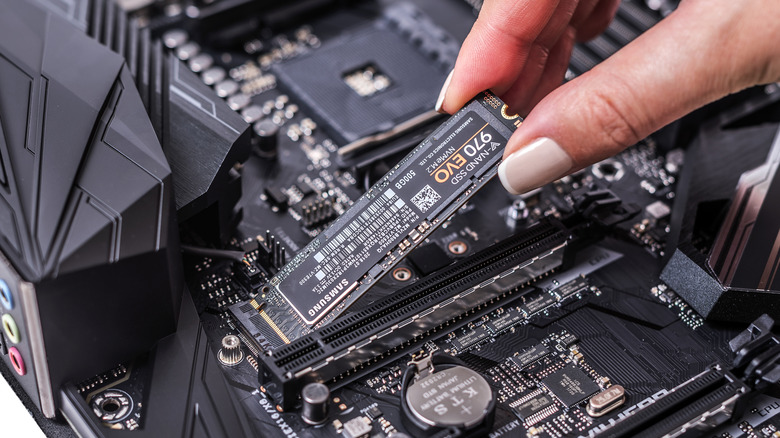
Ultimately, for a budget pc build dram-less ssd vs dram ssd comparisons usually end with the same advice: if you aren't doing professional work, take the savings. The transition from a hard drive to any SSD was a 10x improvement; the transition from DRAM-less to DRAM-equipped is more like a 0.1x improvement for the average person.
FAQ
What is the difference between a DRAM and DRAM-less SSD?
The primary difference lies in the presence of a dedicated memory chip on the drive's circuit board. A DRAM-equipped SSD has a fast memory chip used to store the data map, allowing for quicker file location. A DRAM-less SSD omits this chip to reduce costs, instead relying on Host Memory Buffer technology or the slower NAND flash to track where data is stored.
Is a DRAM-less SSD good for gaming?
Yes, it is an excellent choice for gaming. Most gaming tasks involve reading data sequentially, a task that modern controllers handle perfectly without dedicated DRAM. You will likely see no difference in frame rates or loading times compared to a more expensive drive, making it a great way to save money for other components.
Do DRAM-less SSDs wear out faster than those with DRAM?
Technically, yes, because they can have less efficient wear-leveling processes. This is often reflected in a lower Terabytes Written rating. However, for 99% of home users and gamers, the drive will still last far longer than the useful life of the computer itself. Only those doing heavy, daily file writing should be concerned about SSD lifespan and endurance.
What is Host Memory Buffer and how does it help DRAM-less SSDs?
Host Memory Buffer is a feature of the NVMe protocol that allows a DRAM-less SSD to use a small portion of your computer's system RAM as its own cache. This provides the controller with a high-speed area to store the L2P mapping table, significantly improving IOPS performance and overall responsiveness compared to older DRAM-less designs that didn't have this feature.
Is a DRAM-less SSD worth it for a budget PC build?
Absolutely. For a budget PC build, saving $20 to $35 on storage can be the difference between getting a better CPU or a more reliable power supply. Given that Host Memory Buffer technology makes the performance difference negligible for daily tasks, the cost savings represent one of the best value-to-performance trades a budget builder can make.