Quick Facts
- Critical Deadline: August 31, 2026, marks the end of all official support for the iconic Mavic 2 series.
- Total EOL Models: As of December 2025, DJI has officially listed 111 products and accessories for service suspension.
- The Support Gap: Reaching end-of-service status means no official hardware repairs, no firmware updates, and no access to DJI Care Refresh.
- Primary Risks: Buying these models exposes you to permanent grounding due to battery degradation and the lack of proprietary spare parts.
- 2026 Retirement: High-volume models including the Mavic Mini (April) and Mavic 2 Pro (August) will lose all manufacturer backing.
- Account Safety: Secondary market buyers face significant risks from account binding, which can leave a drone legally and technically locked.
When you buy used DJI drones on the official end-of-service list, you lose access to all official hardware repairs, technical troubleshooting, and proprietary spare parts, effectively making any hardware failure a permanent grounding event. While the aircraft may technically still fly, the manufacturer ceases all safety updates and support, leaving the owner to rely on dwindling third-party resources.
Buying used DJI drones has long been the "pro move" for photographers looking to get high-end imaging capabilities without the flagship price tag. As an editor who has spent a decade dissecting camera sensors and flight controllers, I have often recommended the secondary market for those who want the Hasselblad optics of a Mavic 2 Pro or the mechanical shutter of a Phantom 4. However, the landscape of drone ownership is shifting. We are entering an era where technical obsolescence is no longer just about having a lower-resolution camera; it is about whether your aircraft is legally and mechanically allowed to stay in the air.
In the world of imaging technology, we often talk about the longevity of a DSLR or a mirrorless body. You can still get a 15-year-old Nikon serviced by independent shops. Drones, unfortunately, are different. They are highly integrated flying computers. When the manufacturer pulls the plug on the product lifecycle, the countdown to a permanent shelf-life begins. For those scouting the used market in 2026, understanding the DJI end of service list is not just a suggestion—it is the difference between a bargain and a paperweight.
Understanding DJI End of Service (EOS): What it Means for Buyers
In the tech industry, we often see terms like "End of Life" or "Legacy Hardware" thrown around, but DJI uses a specific designation: End of Service (EOS). It is vital for any prospective buyer to differentiate between a product that is no longer being manufactured and one that has reached its EOS date.
When a drone is discontinued (End of Production), DJI usually continues to offer DJI drone repair availability and firmware support for several years. However, once a model hits the EOS milestone, the manufacturer formally stops providing technical troubleshooting and, most importantly, ceases the production of proprietary spare parts. This creates a massive hardware reliability gap. If you clip a tree with a drone that has official support, you send it to a repair center, pay a fee, and get it back in a week. If you do the same with an EOS model, the official repair centers will literally refuse the package.
The risks of buying used DJI drones without official support are multifaceted. Beyond physical repairs, you lose the safety net of firmware patches. As mobile operating systems like iOS and Android evolve, the apps required to fly these drones (like DJI GO 4 or the early versions of DJI Fly) may lose compatibility. Without official updates, a simple phone software update could render your drone controller unable to communicate with your aircraft. In the eyes of the manufacturer, these drones are technically obsolete, even if they appear pristine in a Craigslist or eBay listing.
The 2026 Red Flag List: Models to Avoid or Buy with Caution
As we move through 2025 and into 2026, the list of retired hardware is growing to include some of the most popular drones ever made. If you are looking at buying older DJI drones, the following timeline is your roadmap for risk.
| Model | End of Service Date | Status |
|---|---|---|
| DJI Spark | October 1, 2024 | Unsupported |
| Mavic Pro (Original) | October 1, 2024 | Unsupported |
| Mavic Air (Original) | January 1, 2025 | Unsupported |
| Mavic Pro Platinum | April 1, 2025 | Unsupported |
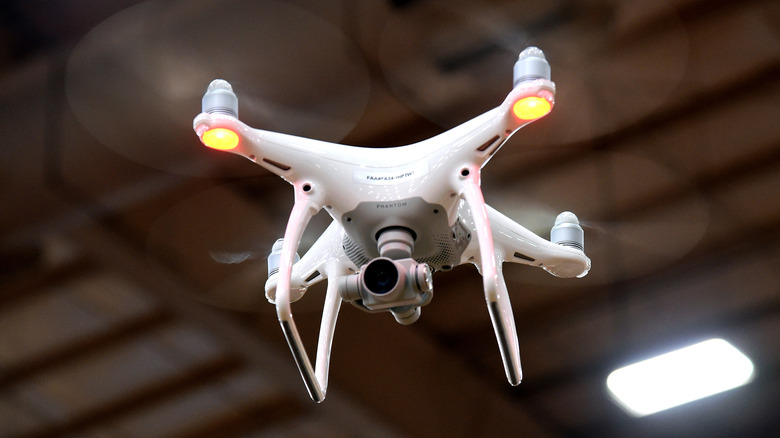
| Phantom 4 Pro / Advanced | June 1, 2025 | Unsupported |
| Mavic Mini (Original) | April 1, 2026 | Scheduled |
| Mavic 2 Pro / Zoom | August 31, 2026 | Scheduled |
| Matrice 600 Pro | August 31, 2026 | Scheduled |
As of late 2025, the total number of 111 models and accessories on the support suspension list represents a significant portion of the legacy fleet. Notably, the original DJI Mavic Pro and the DJI Spark officially reached their end-of-service status on October 1, 2024.
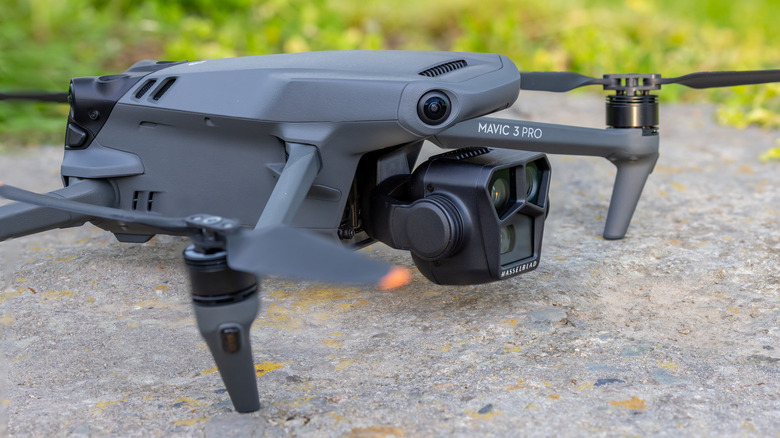
If you are a professional photographer, the most painful entry on this list is the Mavic 2 Pro. This drone changed the industry with its 1-inch sensor and adjustable aperture. However, because it is scheduled to reach its end-of-service status on August 31, 2026, buying one today is a high-stakes gamble. You are investing in a platform that will have zero factory support in less than a year.
The Hidden Killers: Account Binding and Proprietary Parts
When I evaluate used gear, I look past the cosmetic scratches. The real dangers are often invisible. The first major hurdle for used DJI drones is account binding. DJI’s security system links a drone's serial number to the original owner's account to deter theft. If the seller does not manually unbind the drone from their DJI account, the new owner may find themselves with a "bound" aircraft. This can prevent you from flying or, at the very least, make it impossible to apply for flight controller stability updates or insurance. Always ask for proof of unbinding before money changes hands.
The second "hidden killer" is the availability of consumables—specifically batteries. Lithium-ion batteries have a shelf life regardless of how many times they have been flown. Battery degradation is a chemical reality. For EOS models, DJI stops manufacturing new flight batteries. While you might find "new old stock" or third-party alternatives, the quality of third-party drone batteries is notoriously inconsistent. Using a non-genuine battery in a drone like the Mavic 2 Pro can lead to sudden power failure in mid-air.
Proprietary spare parts like ribbon cables, gimbal motors, and specialized landing gear also vanish from the market quickly. If you are wondering where to find spare parts for old DJI drones, you will likely end up on secondary markets like eBay, scavenging parts from other "for parts only" drones. For a piece of equipment that flies at 40 mph, relying on salvaged parts is a massive safety risk. This is why knowing how to check if a used DJI drone has official support is the most important step in the buying process.
Software & Safety: Firmware and OS Compatibility
Even if you find a drone with a healthy battery and a clean account, you still have to contend with the software ecosystem. The DJI Fly app and the older DJI GO 4 app are the lifelines of these aircraft. Manufacturers of smartphones frequently update their operating systems, often breaking the functionality of older apps.
We are already seeing firmware update issues for discontinued DJI drones where the drone cannot sync with newer versions of iOS. When a drone is on the EOS list, DJI will not release a compatibility patch for the next iPhone or Android update. You might find yourself having to buy a dedicated, older tablet just to act as a flight controller, adding more cost and complexity to what was supposed to be a budget-friendly used purchase.
Furthermore, there is the issue of regulatory compliance. In many regions, Remote ID is now a requirement. While some older DJI drones received firmware updates to comply with these laws, EOS models are unlikely to receive any future updates to comply with changing local aviation regulations. Flying an unsupported drone could eventually lead to legal "obsolescence" if it cannot meet the broadcast requirements of your local air authority.
Nina’s Professional Tip: If you are considering a drone for professional work, never buy a model that is within 18 months of its EOS date. The lack of DJI Care Refresh alone makes the financial risk too high for a working professional.
Used DJI Buyer’s Checklist
- [ ] Verify EOS Status: Check the official DJI support page to see if the model is on the suspension list.
- [ ] Account Unbinding: Ensure the seller logs out and removes the device from their DJI profile.
- [ ] Battery Cycle Count: Check the battery health in the app; anything over 50-75 cycles on an old battery is a red flag.
- [ ] Physical Inspection: Look for stress cracks in the shell, especially around the motor mounts.
- [ ] App Compatibility: Install the required app on your current phone and see if it launches and connects to the controller before buying.
FAQ
Is it worth buying a used DJI drone?
It is absolutely worth it if the model is still within its active service life. Drones like the Mavic 3 or the Mini 3 Pro offer incredible value on the used market. However, it is rarely worth buying a used drone that has reached its end-of-service date unless you are a hobbyist who is comfortable performing your own hardware repairs and scavenging for parts.
What should I check when buying a used drone?
Beyond the physical condition, you must check the gimbal's range of motion, the consistency of the video feed, and the flight logs. Look for any "ESC Error" or "Compass Error" messages in the flight history. Most importantly, verify that the aircraft is not bound to another user's account, as this can be nearly impossible to fix without the original owner's cooperation.
How do I check the battery cycle count on a used DJI drone?
Power on the drone and controller, open the DJI app (Go 4 or Fly), and navigate to the battery settings menu. There, you can see the "Cycle Count," which indicates how many times the battery has been fully charged and discharged. For older models, also look at the voltage of the individual cells; they should be balanced with very little deviation between them.
How do I unbind a DJI drone from a previous account?
The original owner must open the DJI app, go to "Profile," then "Device Management." They need to select the drone and tap "Remove Device from Account." If you are the buyer, do not complete the transaction until you can log in with your own DJI account and successfully see the drone in your device list.
Do used drones still have a warranty?
Most used drones do not have a warranty unless they were recently purchased and the warranty is transferable, or if you buy a "Certified Refurbished" unit directly from DJI or an authorized dealer. Standard DJI warranties usually last 12 months from the original purchase date. Once a drone hits the EOS list, even paid out-of-warranty service from DJI is no longer available.
Final Verdict: Is it Worth the Risk?
If you are asking yourself, is it worth buying a used DJI Mavic Mini in 2026, the answer is likely no. While it was a revolutionary sub-250g drone, the newer Mini 3 or Mini 4 Pro models offer significantly better wind resistance, camera quality, and most importantly, years of guaranteed support.
As an editor, I always lean toward longevity. Investing in a used DJI Mavic 2 Pro might feel like getting a professional tool for a bargain, but the looming August 2026 support cutoff makes it a ticking clock. For most photographers and enthusiasts, the best strategy is to look for models that are at least two generations away from their EOS dates. This ensures you can get parts, stay compliant with local laws, and keep your gear in the air rather than in a display case.